Planable
Planable is a trusted free tool for marketers to plan and schedule social media posts.
Introduction
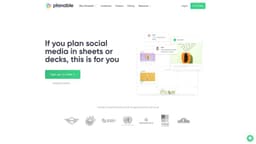
Planable is a free social media collaboration and management tool trusted by marketers to plan, collaborate, approve, and schedule their social media posts. It provides a visual and intuitive platform for content creation, bringing all marketing content together in one place.
What stands out?
Content planning and scheduling
Collaboration and feedback
Real-time updates and approvals
Visual feed, calendar, grid, and list view
Integration with social media platforms
Workspace management for teams
Frequently Asked Questions
What is Planable?
How to use Planable?
Can I use Planable for content planning other than social media posts?
Is there a limit to the number of social media posts I can create and schedule?
What view options are available in Planable?
Can I get feedback and approvals from stakeholders within Planable?
Does Planable integrate with social media platforms?
More Information
Planable Reddit
Here is the Planable Reddit: https://www.reddit.com
Planable Company
More about Planable, Please visit the about us page(https://planable.io/about).
Planable Login
Planable Login Link: https://app.planable.io/login
Planable Sign up
Planable Sign up Link: https://app.planable.io/register
Planable Pricing
Planable Pricing Link: https://planable.io/pricing/
Planable Facebook
Planable Facebook Link: https://www.facebook.com/planable.io/
Planable Youtube
Planable Youtube Link: https://www.youtube.com/channel/UChk3eGKk51H-AhPG50P2EmA
Planable Tiktok
Planable Tiktok Link: https://www.tiktok.com/@planableapp
Planable Linkedin
Planable Linkedin Link: https://www.linkedin.com/company/planable/
Planable Twitter
Planable Twitter Link: https://twitter.com/planableapp
Planable Instagram
Planable Instagram Link: https://www.instagram.com/planableapp/
Planable Reddit
Planable Reddit Link: https://www.reddit.com
Reviews & Feedback
Share your experience with the community
0.0
Based on 0 reviews
User Comments (0)
Sort Criteria
Order
No reviews yet. Be the first to share your thoughts!
Statistics
Monthly visits
NaN
Saved by users
0
Rating
0.0/ 5.0
Added on
—
Use Cases
- Social media agencies managing content for multiple clients
- Enterprises with large-scale content collaboration and approval processes
- Marketing teams looking to streamline their content planning and approval workflow
How to Use
1. Sign up for a free account on Planable's website. 2. Connect your social media accounts to the platform. 3. Create a workspace and invite team members to collaborate. 4. Plan and schedule social media posts using the visual feed, calendar, grid, or list view. 5. Get feedback and approval from stakeholders using comments and real-time updates. 6. Publish approved content directly to your social media channels.