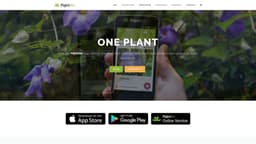
Pl@ntNet
Identify plants and contribute to plant biodiversity research.
Plant identificationCitizen scienceBiodiversity
Introduction
Pl@ntNet is a citizen science project available as an app that helps you identify plants thanks to your pictures.
Key Features
Plant identification through pictures
Contribute to citizen science
Submit plant observations
Collaborative reviews
Frequently Asked Questions
What is Pl@ntNet?
How to use Pl@ntNet?
How does Pl@ntNet identify plants?
How accurate is the plant identification in Pl@ntNet?
Can I use Pl@ntNet offline?
How can I contribute to Pl@ntNet?
Is Pl@ntNet available in multiple languages?
Similar Tools

Popl
Revolutionize your lead capture with our innovative digital business card solution powered by AI technology. Boost your business efficiency today!

Image to Text Converter
Easily extract text from images with our Online OCR tool. Convert images to editable text quickly and efficiently. Try it now!

Mathpix
Convert images and PDFs to different formats effortlessly with our AI-powered converter. Fast, accurate, and easy to use. Try it now!
Use Cases
- Identify unknown plants
- Contribute to plant biodiversity research
- Learn about different plant species
How to Use
To use Pl@ntNet, simply take a picture of a plant and the app will identify it for you. You can also contribute to the project by submitting plant observations and contributing to collaborative reviews.