PlaylistAI
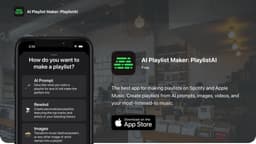
PlaylistAI is an app that generates personalized playlists using AI and user data.
playlist makerSpotifyApple Music
Introduction
PlaylistAI is an app and ChatGPT plugin that helps users create playlists on Spotify and Apple Music. It uses AI prompts, music festival posters, TikToks, and user listening history to generate personalized playlists.
Key Features
Generate personalized playlists with AI prompts
Create playlists based on your most-listened-to music
Advanced audio filters for specificity in music selection
Instant playlists from music festival posters
Find friends of your favorite artists to create playlists
Blend genres together for diverse music recommendations
Identify songs in TikTok videos and add similar music to a playlist
Frequently Asked Questions
What is PlaylistAI?
How to use PlaylistAI?
I subscribed on web but I'm still unable to create playlists
How can I manage my subscription?
How do I stop songs from being added to my Apple Music library?
Similar Tools

LimeChat
Revolutionize your e-commerce business with our AI-powered platform that offers support and marketing through WhatsApp. Boost sales and engagement now!

iSlide
Simplify your PowerPoint design with our innovative platform, offering a wide range of templates and AI tools to enhance your presentations.

Gethookd
Revolutionize your ad creation and performance with our AI platform. Optimize your ads like never before for maximum results.
Use Cases
- Creating a playlist for specific moods or genres
- Rediscovering favorite music from your listening history
- Exploring new music based on music festival posters or TikTok videos
- Curating playlists based on the friends of your favorite artists
How to Use
To use PlaylistAI, download the app from the App Store and sign in with your Spotify or Apple Music account. You can then enter a prompt or upload a music festival poster or TikTok video to generate a playlist. You can also create playlists based on your most-listened-to music. PlaylistAI offers advanced audio filters and unique music discovery experiences to enhance your playlist-making process.