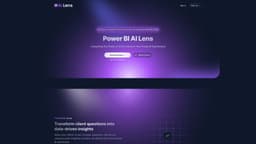
AI Lens For Power BI
AI Lens for Power BI enables users to integrate artificial intelligence seamlessly into their Power BI reports.
Introduction
AI Lens for Power BI is a feature that allows users to incorporate artificial intelligence directly into their Power BI reports. It provides tools and functionalities to leverage AI capabilities within the Power BI ecosystem.
What stands out?
The core features of AI Lens for Power BI include: 1. Pre-built AI models: Users can leverage a wide range of pre-built AI models and algorithms to extract valuable insights from their data. 2. Custom model creation: Users can train and deploy their own custom machine learning models within Power BI for more specific analysis. 3. Intuitive visualizations: AI Lens provides interactive visualizations to showcase AI-driven insights in Power BI reports. 4. Natural language processing: Users can utilize natural language queries to interact with AI Lens and obtain AI-generated insights.
Frequently Asked Questions
What is AI Lens For Power BI?
How to use AI Lens For Power BI?
More Information
AI Lens For Power BI Company
AI Lens For Power BI Company name: Queryon .
AI Lens For Power BI Login
AI Lens For Power BI Login Link: https://www.lensvisual.io/
AI Lens For Power BI Sign up
AI Lens For Power BI Sign up Link: https://www.lensvisual.io/
AI Lens For Power BI Twitter
AI Lens For Power BI Twitter Link: https://twitter.com/PowerBi_Ai_Lens
Reviews & Feedback
Share your experience with the community
0.0
Based on 0 reviews
User Comments (0)
Sort Criteria
Order
No reviews yet. Be the first to share your thoughts!
Statistics
Monthly visits
NaN
Saved by users
0
Rating
0.0/ 5.0
Added on
—
Use Cases
- AI Lens for Power BI can be used in various scenarios, such as: 1. Predictive analytics: Users can apply AI models to predict future trends and outcomes based on historical data. 2. Anomaly detection: AI Lens can identify unusual patterns or outliers in data, helping users detect anomalies and potential issues. 3. Sentiment analysis: Users can leverage AI-powered sentiment analysis to understand customer opinions and emotions from text data. 4. Forecasting: AI Lens can assist in data-driven forecasting, helping users make informed business decisions.
How to Use
To use AI Lens for Power BI, users need to first enable the feature in their Power BI account. Once enabled, they can access AI Lens within the Power BI interface and begin exploring various AI functionalities. Users can utilize pre-built AI models and algorithms, or create their own custom models using machine learning techniques. The AI Lens provides intuitive visualizations and insights to enhance data analysis within Power BI reports.