PowerIn - Chrome Extension
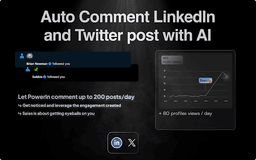
Automatically generate and post AI comments.
AI commentsLinkedIn automationVisibility enhancement
Introduction
A tool for automatically posting AI-generated comments on LinkedIn posts.
Key Features
Automatic AI-generated comments
Targeted commenting on LinkedIn posts
Multiple comment tones available
Frequently Asked Questions
What is PowerIn?
How to use PowerIn?
How does PowerIn help to boost visibility on LinkedIn?
Similar Tools

Gallabox
Elevate your business communication with our No-code WhatsApp automation tool. Streamline processes and engage customers effortlessly.

LimeChat
Revolutionize your e-commerce business with our AI-powered platform that offers support and marketing through WhatsApp. Boost sales and engagement now!

Gethookd
Revolutionize your ad creation and performance with our AI platform. Optimize your ads like never before for maximum results.
Use Cases
- Increase visibility on LinkedIn
- Build authority and active presence
- Generate business opportunities
How to Use
1. Connect your LinkedIn account to PowerIn 2. Select target accounts for automatic commenting 3. Choose comment tone (Casual, match, business) 4. Let PowerIn generate comments and activities for you