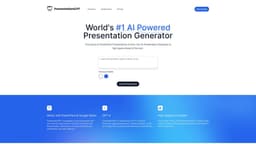
PresentationGPT
AI-powered PresentationGPT is the top choice for creating amazing PowerPoint presentations quickly.
presentation generatorAIPowerPoint
Introduction
PresentationGPT is the #1 AI-powered Presentation Generator that can create stunning PowerPoint presentations in seconds. It utilizes advanced language models, GPT-4 and LISA, to generate high-quality, detailed, and engaging presentations that leave a lasting impression.
Key Features
Generate high-quality presentations in seconds
Works with PowerPoint and Google Slides
Powered by advanced language models GPT-4 and LISA
Save time and effort by starting with a pre-made presentation
Access to basic design templates
Editable and downloadable file formats
Frequently Asked Questions
What is PresentationGPT?
How to use PresentationGPT?
What is PresentationGPT?
How is PresentationGPT better than other AI presentation generators?
Can I change the images on the generated presentations?
When will I get the download link to the presentation?
Does PresentationGPT offer any themes?
What payment methods are supported on PresentationGPT?
Can I share the presentation with others?
Do you have an official API?
In what formats will the presentation be available to download?
How can I contact PresentationGPT support?
Similar Tools

LimeChat
Revolutionize your e-commerce business with our AI-powered platform that offers support and marketing through WhatsApp. Boost sales and engagement now!

iSlide
Simplify your PowerPoint design with our innovative platform, offering a wide range of templates and AI tools to enhance your presentations.

Gethookd
Revolutionize your ad creation and performance with our AI platform. Optimize your ads like never before for maximum results.
Use Cases
- Business presentations
- Educational presentations
- Sales pitches
- Conference presentations
- Training sessions
How to Use
Using PresentationGPT is simple! Choose a theme and let the AI work its magic to generate a captivating presentation. You can then download the presentation in PowerPoint or PDF format, or even as an editable Google Slides deck. Make any necessary changes using your favorite presentation tools, such as PowerPoint or Google Slides.