prst.ai
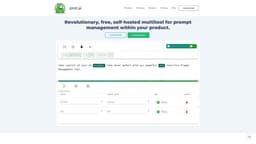
prst.ai revolutionizes prompt management and AI tool integration, giving users full control of their AI journey.
AI automationPrompt managementNo-code AI
Introduction
prst.ai is a self-hosted AI automation tool that revolutionizes prompt management for any AI tool. It allows users to seamlessly integrate and manage external AI tools, customize prompts without coding, tailor pricing based on API usage, and take full ownership of their AI journey. With prst.ai, users can easily connect to any AI tool, secure their data, and capture feedback from users. It also offers advanced analytics, enterprise-level setup, and customizable AI capabilities.
Key Features
Seamless integration and management of external AI tools
No-code prompt management
Custom pricing rules for cost control
Full ownership and control of AI journey
Secure and hassle-free data management
Flexible integration capabilities with any AI tool
Customizable feedback component with sentiment analysis
Validation and customization of AI models
AI prompts libraries and connectors
A/B testing for prompt versions
Advanced analytics and comparative result analysis
Enterprise-level setup with scalable capabilities
Efficient async processing and remote logs storage
Streamlined access with SSO and SAML
Comprehensive support for smooth operations
Frequently Asked Questions
What is prst.ai?
How to use prst.ai?
0
1
2
3
4
5
6
7
Similar Tools

LimeChat
Revolutionize your e-commerce business with our AI-powered platform that offers support and marketing through WhatsApp. Boost sales and engagement now!

Gethookd
Revolutionize your ad creation and performance with our AI platform. Optimize your ads like never before for maximum results.

Quickads
Effortlessly create image and video ads with this AI-powered tool. Say goodbye to the hassle and hello to effective marketing campaigns.
Use Cases
- Streamline AI workflows and optimize performance
- Customize and manage prompts without coding
- Ensure cost control and operational predictability
- Take full ownership and control of AI journey
- Securely manage and control data
- Connect and utilize any AI tool of choice
- Capture user feedback and analyze sentiment
- Validate and customize AI models for specific goals
- Discover and attach prompt libraries and connectors
- Conduct A/B testing for prompt versions
- Analyze and compare results for better decision-making
- Implement robust AI capabilities for enterprises
- Efficiently handle large-scale projects and complex designs
How to Use
To use prst.ai, you can start by installing it either by deploying the Docker Image or configuring a custom build. Once installed, you can connect and manage external AI tools through the flexible API and UI. Customize prompts, set pricing rules, and validate prompt generation results. Secure your data with the self-hosted solution. Easily import and export data. Capture user feedback with built-in sentiment analysis. Discover and attach prompt libraries and connectors to AI services. Conduct A/B testing for prompt versions to improve results. Analyze and track productivity and performance with the comprehensive dashboard.