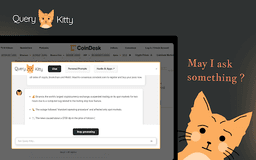
Query Kitty - Chrome Extension
Boost productivity with AI magic
Chrome extensionAI-poweredProductivity tool
Introduction
An ultimate Chrome extension powered by ChatGPT to boost productivity with AI magic.
Key Features
Transform selected text into social content
Get accurate answers instantly
Boost social media growth
Compose emails with LLMs
Automate spreadsheets
Create custom code modules
Save prompts for quick access
Frequently Asked Questions
What is Query Kitty?
How to use Query Kitty?
How do I install Query Kitty?
Similar Tools

LimeChat
Revolutionize your e-commerce business with our AI-powered platform that offers support and marketing through WhatsApp. Boost sales and engagement now!

Plagiarism Remover
Eliminate plagiarism in your text with this free AI tool. Enhance your writing by rephrasing content effortlessly. Try it now!

Gethookd
Revolutionize your ad creation and performance with our AI platform. Optimize your ads like never before for maximum results.
Use Cases
- Transforming text into social content
- Getting quick answers to questions
- Growing social media presence
- Composing effective emails
- Automating spreadsheet tasks
How to Use
To use Query Kitty, simply install the Chrome extension, open any website, and press Ctrl+Right to activate the chatbox.