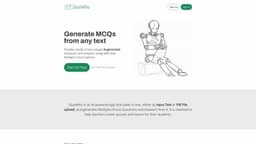
QuizWhiz
QuizWhiz is an AI-powered app that generates MCQs for teachers to create quizzes.
Introduction
QuizWhiz is an AI-powered app that generates Multiple-choice Questions and Answers from a given body of text. It is designed to assist teachers in creating quizzes and exams for their students.
What stands out?
AI-powered MCQ generation
Text input or PDF file upload
Multiple-choice questions and answers
Option to customize the number of runs
Frequently Asked Questions
What is QuizWhiz?
How to use QuizWhiz?
What is meant by a 'run'?
What is the maximum input size that the app can process?
What languages are supported?
Is there an API available?
For feedback and queries, how can I contact QuizWhiz?
More Information
QuizWhiz Support Email & Customer service contact & Refund contact etc.
Here is the QuizWhiz support email for customer service: [email protected] .
QuizWhiz Login
QuizWhiz Login Link: https://www.quizwhiz.ai/accounts/login/
QuizWhiz Sign up
QuizWhiz Sign up Link: https://www.quizwhiz.ai/accounts/signup/
QuizWhiz Pricing
QuizWhiz Pricing Link: https://www.quizwhiz.ai/
Reviews & Feedback
Share your experience with the community
0.0
Based on 0 reviews
User Comments (0)
Sort Criteria
Order
No reviews yet. Be the first to share your thoughts!
Statistics
Monthly visits
NaN
Saved by users
0
Rating
0.0/ 5.0
Added on
—
Similar Tools

Airtable Assistant
Easily create apps and analyze data with our AI tool, no coding required. Build and analyze without the hassle of programming.

Grok
AI assistant that promotes truth and objectivity with various features.

NoteGPT
Summarize videos, articles, and text with AI. Chat with AI assistant. Transcript generator. Automated note-taking. Folder management.

PixAI - AI Art Generator
Create stunning anime art effortlessly.

DeepAI
AI tools for creative people.
Use Cases
- Create quizzes and exams for students
- Assess students' comprehension of a given text
- Save time in question creation
How to Use
To use QuizWhiz, simply provide the text either as Input Text or upload a PDF file. The app will then generate MCQs along with their corresponding options. Teachers can use these questions to assess their students' knowledge and understanding of the text.