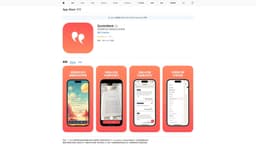
QuoteMark
AI app for capturing and organizing book quotes.
Introduction
QuoteMark, developed by BB Creative, is an AI-powered app that allows users to capture, organize, and share their favorite quotes from books seamlessly. The app uses advanced AI technology to extract and tag quotes, enabling easy collection and personalized reflection. Users can access their quotes across Apple devices via iCloud, ensuring a coherent and engaging reading experience.
What stands out?
AI camera for capturing quotes
Tagging and organization system
Cloud syncing across Apple devices
Personal notes and topic creation
Customizable themes and backgrounds
Frequently Asked Questions
What is QuoteMark?
How to use QuoteMark?
Is QuoteMark available on all devices?
How does QuoteMark enhance my reading experience?
What subscription options are available?
Reviews & Feedback
Share your experience with the community
0.0
Based on 0 reviews
User Comments (0)
Sort Criteria
Order
No reviews yet. Be the first to share your thoughts!
Statistics
Monthly visits
NaN
Saved by users
0
Rating
0.0/ 5.0
Added on
—
Use Cases
- Easily save and categorize inspirational quotes from reading materials.
How to Use
To use QuoteMark, simply snap a photo of a quote or input it manually, then organize and tag your collection as desired.