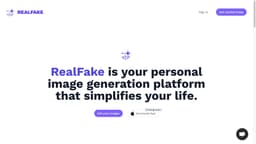
Real Fake
Real Fake uses AI to create realistic headshots from your selfies, upgrading your professional appearance.
Introduction
Real Fake is a service that uses AI technology to create professional headshots from your selfies. It allows you to upgrade your professional look by transforming your selfies into high-quality headshots that are indistinguishable from reality.
What stands out?
Real Fake offers the following core features: - AI technology: Utilizes advanced AI algorithms to transform your selfies into professional headshots. - Authentic results: Creates headshots that are indistinguishable from reality. - Simple process: Upload photos, select the desired style, and receive your headshots within hours. - Privacy-first approach: Does not keep your original images, ensuring your privacy and security. - Affordable pricing: Offers fast, convenient, and affordable service, starting from 9.99 EUR.
Frequently Asked Questions
What is Real Fake?
How to use Real Fake?
Will Real Fake store my images?
How can I get Real Fake for free?
How can I contact Real Fake?
How do I know when my images are generated?
I have been waiting for a long time, what should I do?
What's the process for deleting my data?
My generated images are not as good as expected, what should I do?
More Information
Real Fake Support Email & Customer service contact & Refund contact etc.
Here is the Real Fake support email for customer service: [email protected] .
Real Fake Company
Real Fake Company name: Profaile GmbH . More about Real Fake, Please visit the about us page(https://www.realfakephotos.com/about-us).
Real Fake Login
Real Fake Login Link: https://www.realfakephotos.com/auth/login
Real Fake Sign up
Real Fake Sign up Link: https://www.realfakephotos.com/auth/register
Real Fake Tiktok
Real Fake Tiktok Link: https://www.tiktok.com/@realfakephotos.com
Real Fake Linkedin
Real Fake Linkedin Link: https://www.linkedin.com/company/realfakephotos/
Real Fake Twitter
Real Fake Twitter Link: https://twitter.com/RealFakeApp
Real Fake Instagram
Real Fake Instagram Link: https://www.instagram.com/realfakeapp/
Reviews & Feedback
Share your experience with the community
0.0
Based on 0 reviews
User Comments (0)
Sort Criteria
Order
No reviews yet. Be the first to share your thoughts!
Statistics
Monthly visits
NaN
Saved by users
0
Rating
0.0/ 5.0
Added on
—
Similar Tools

Picsart
Unleash your creativity with Picsart - an innovative photo editing app that offers a wide range of tools and filters to enhance your images.

Max Studio AI
Enhance your images and unleash your creativity with AI tools all in one platform. Boost your image editing skills effortlessly!

Grok
AI assistant that promotes truth and objectivity with various features.

KLING AI
Create one-of-a-kind images and videos with our Generative AI tools. Unleash your creativity and explore endless possibilities!
MidJourney
AI platform for creating and exploring images with community input.
Use Cases
- Real Fake is useful for professionals who want to enhance their online presence, improve their LinkedIn profiles, CVs, and business cards. It is also beneficial for individuals who require high-quality headshots for job applications, modeling portfolios, acting profiles, and more.
How to Use
To use Real Fake, simply sign in to the website and generate headshots by following these steps: 1. Open the user menu and select 'Generate headshots'. 2. Upload 10-20 photos from your phone, ensuring your face is clearly visible in each photo. 3. Pay for the service in minutes. 4. Within a few hours, your brand-new headshots will be created. 5. Download the headshots and use them for your LinkedIn profile, CV, business cards, and more.