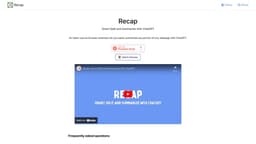
Recap
"Recap simplifies webpage summarization using ChatGPT."
Introduction
Recap is an open-source browser extension that allows you to easily summarize any portion of any webpage with ChatGPT.
What stands out?
The core features of Recap include the ability to select and summarize any portion of a webpage using ChatGPT. It provides a seamless integration within the Chrome browser and is completely free to use.
Frequently Asked Questions
What is Recap?
How to use Recap?
What is Recap?
Is Recap free to use?
Do I need a ChatGPT account?
How do I install Recap?
More Information
Recap Support Email & Customer service contact & Refund contact etc.
Here is the Recap support email for customer service: [email protected] .
Recap Twitter
Recap Twitter Link: https://twitter.com/recapext
Recap Github
Recap Github Link: https://github.com/yaozhiwang/recap
Reviews & Feedback
Share your experience with the community
0.0
Based on 0 reviews
User Comments (0)
Sort Criteria
Order
No reviews yet. Be the first to share your thoughts!
Statistics
Monthly visits
NaN
Saved by users
0
Rating
0.0/ 5.0
Added on
—
Similar Tools

Cursor
A cutting-edge code editor prioritizing AI technology for rapid software development. Boost your productivity with this innovative tool.

Anthropic
The AI assistant named Claude, called Anthropic, offers various capabilities and services.

Replit
Replit is a collaborative IDE featuring 50+ programming languages, a robust compiler, and interpreter. Work together seamlessly on coding projects.
Use Cases
- Recap can be used in various scenarios, such as quickly summarizing news articles, blog posts, research papers, and any other web content. It helps users save time by condensing long texts into concise summaries.
How to Use
To use Recap, simply add the browser extension to Chrome. Once added, you can select any portion of a webpage and click on the Recap extension icon. ChatGPT will then generate a summary of the selected content.