Clyr - Chrome Extension
Automated expense and invoice management
Introduction
Expense and Spend Management with Receipt and Invoice Capture
What stands out?
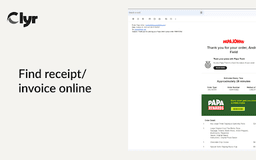
Snap Receipts & Invoices
Seamless Integration
Card Agnostic
Real-Time Notifications
Automated Matching & Smart Categorization
Frequently Asked Questions
What is Clyr?
How to use Clyr?
Why choose Clyr?
Reviews & Feedback
Share your experience with the community
0.0
Based on 0 reviews
User Comments (0)
Sort Criteria
Order
No reviews yet. Be the first to share your thoughts!
Statistics
Monthly visits
NaN
Saved by users
0
Rating
0.0/ 5.0
Added on
—
Similar Tools

Pixelcut
Easily create stunning product photos and ads with our free online design tool. Remove backgrounds and erase objects effortlessly.

Wondershare
Discover innovative tools for enhancing creativity, productivity, and efficiency with our app. Unleash your potential today!

TurboScribe
Unlimited AI transcription with 99.8% accuracy in 98+ languages.

GirlfriendGPT - The AI Companion Chatroom
An uncensored AI companion chatroom for SFW and NSFW conversations.

Gamma App
Gamma App is an AI-powered tool that creates stunning presentations, webpages, and documents effortlessly.
Use Cases
- Effortlessly capture and categorize receipts and invoices
- Receive real-time expense notifications
- Save time on expense management
How to Use
1. Install the extension. 2. Log in or register on Clyr. 3. Click the Clyr icon when you receive a receipt/invoice. 4. Snap the image for automatic matching and categorization.