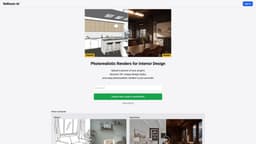
ReRoom AI - Photorealistic Renders for Interior Design
ReRoom AI enables users to create photorealistic renders for interior design projects on SketchUp.
interior designphotorealistic renderssketchup
Introduction
ReRoom AI is an online platform that allows users to enhance their SketchUp results by generating photorealistic renders for interior design projects. By uploading a picture of their project, users can explore over 20 unique design styles and enjoy realistic renders in a matter of seconds.
Key Features
Upload project pictures and generate photorealistic renders
Explore over 20 unique design styles
Render results in just seconds
Download rendered images for visualization and presentation purposes
Frequently Asked Questions
What is ReRoom AI - Photorealistic Renders for Interior Design?
How to use ReRoom AI - Photorealistic Renders for Interior Design?
What is ReRoom AI?
How can I use ReRoom AI?
What are the core features of ReRoom AI?
What are the use cases of ReRoom AI?
Is there pricing information available?
Similar Tools

LimeChat
Revolutionize your e-commerce business with our AI-powered platform that offers support and marketing through WhatsApp. Boost sales and engagement now!

Gethookd
Revolutionize your ad creation and performance with our AI platform. Optimize your ads like never before for maximum results.

Quickads
Effortlessly create image and video ads with this AI-powered tool. Say goodbye to the hassle and hello to effective marketing campaigns.
Use Cases
- Enhancing interior design projects
- Visualizing design concepts
- Presenting design ideas to clients
- Exploring various design styles and their suitability for a project
How to Use
1. Sign in to ReRoom AI using your preferred method (Google Sign In or email confirmation). 2. Upload a picture of your interior design project. 3. Browse through the available design styles and select the one that suits your vision. 4. Click on the 'Render' button to generate a photorealistic render of your project in the chosen style. 5. Download the rendered image and use it to visualize and present your interior design ideas.