Research PAL
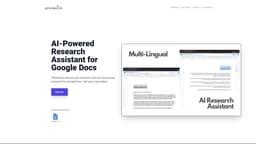
AI assistant for Google Docs: enhances researching, writing, and editing with AI technology.
Introduction
The AI-Powered Research Assistant for Google Docs is a powerful extension that integrates with Google Docs to provide AI assistance for researching, writing, and editing. It uses advanced algorithms and Natural Language Generation technology to generate high-quality, coherent, and informative text. With customizable settings, multi-lingual support, and a user-friendly interface, it enhances the writing experience for students, professionals, and businesses alike.
Key Features
Natural Language Generation
Customizable Settings
Time-saving
Multi-lingual Support
User-friendly Interface
Advanced Algorithms
Frequently Asked Questions
What is Research PAL?
How to use Research PAL?
What is the cost of the AI-Powered Research Assistant for Google Docs?
Can the generated text be customized?
Is the AI-Powered Research Assistant available in multiple languages?
Is the AI-Powered Research Assistant easy to use?
What are the main benefits of using the AI-Powered Research Assistant for Google Docs?
Similar Tools

LimeChat
Revolutionize your e-commerce business with our AI-powered platform that offers support and marketing through WhatsApp. Boost sales and engagement now!

iSlide
Simplify your PowerPoint design with our innovative platform, offering a wide range of templates and AI tools to enhance your presentations.

Gethookd
Revolutionize your ad creation and performance with our AI platform. Optimize your ads like never before for maximum results.
Use Cases
- Researching and gathering information
- Generating high-quality text for writing
- Editing and improving content
- Saving time in content creation
- Facilitating research for HR managers and recruiters
- Enabling efficient research process for students and professionals
How to Use
To use the AI-Powered Research Assistant for Google Docs, follow these steps: 1. Install the extension on Google Docs via the App Scripts. 2. Add your OpenAI API Key to the extension. 3. Start researching and generating text by utilizing the assistant's features and tools.