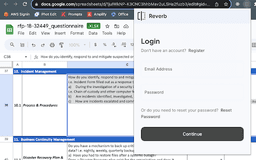
Reverb - Chrome Extension
Effortless questionnaire completion with AI assistance
AIQuestionnaire AssistantChrome Extension
Introduction
AI-Powered Questionnaire Assistant
Key Features
AI-Driven Responses
Avoiding Hallucinations
Customized Responses
Easy Setup
User-Friendly Interface
Frequently Asked Questions
What is Reverb?
How to use Reverb?
How does Reverb generate responses?
Similar Tools

LimeChat
Revolutionize your e-commerce business with our AI-powered platform that offers support and marketing through WhatsApp. Boost sales and engagement now!

Plagiarism Remover
Eliminate plagiarism in your text with this free AI tool. Enhance your writing by rephrasing content effortlessly. Try it now!

iSlide
Simplify your PowerPoint design with our innovative platform, offering a wide range of templates and AI tools to enhance your presentations.
Use Cases
- Efficiently completing questionnaires with AI assistance
How to Use
1. Sign up at Reverb Forms (https://app.reverbforms.com) 2. Upload your past questionnaires at Reverb Training (https://app.reverbforms.com/past) 3. Install the Reverb Chrome Extension in your browser