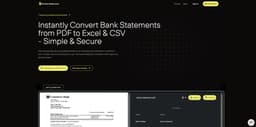
Rocket Statements
Convert PDF bank statements into Excel, CSV, or JSON.
Introduction
Convert your PDF bank statements into neatly structured Excel, CSV, or JSON formats.
What stands out?
Neatly structured output
Supports 100+ global banks
Top-tier security
Frequently Asked Questions
What is Rocket Statements?
How to use Rocket Statements?
How does Rocket Statement converter work?
How do I use the Rocket Statement bank converter app?
Is my data safe with the Rocket Statement bank statement converter?
Can your app really convert any bank statement into CSV or Excel sheet?
How fast are conversions normally?
Why would I need to use Rocket Statement?
More Information
Rocket Statements Pricing
Rocket Statements Pricing Link: https://www.rocketstatements.com/pricing
Reviews & Feedback
Share your experience with the community
0.0
Based on 0 reviews
User Comments (0)
Sort Criteria
Order
No reviews yet. Be the first to share your thoughts!
Statistics
Monthly visits
NaN
Saved by users
0
Rating
0.0/ 5.0
Added on
—
Use Cases
- Organizing financial data
- Preparing tax documentation
How to Use
Upload your PDF file and select the desired output format.