SalesRobot
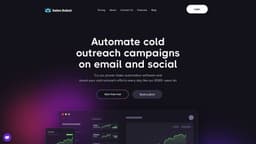
Automate cold outreach campaigns on LinkedIn and email, generate high-quality leads.
Introduction
SalesRobot is a cloud-based sales outreach tool that allows users to automate multiple cold outreach campaigns on LinkedIn and email. It helps generate high-quality leads by providing personalized messaging, advanced targeting strategies, and a mini-CRM to manage all conversations in one place.
What stands out?
Automated cold outreach campaigns on LinkedIn and email
Personalized messaging with AI-written content, images, and GIFs
Advanced targeting based on industry, company, job title, and location insights
Mini-CRM to manage all conversations and schedule follow-ups
High response rates with 32%+ positive response rates
Configurable access management for teammates or clients
Frequently Asked Questions
What is SalesRobot?
How to use SalesRobot?
Is SalesRobot a LinkedIn endorsed product?
Does using SalesRobot comply with LinkedIn's User Agreement?
More Information
SalesRobot Support Email & Customer service contact & Refund contact etc.
Here is the SalesRobot support email for customer service: [email protected] . More Contact, visit the contact us page(https://www.salesrobot.co/contact)
SalesRobot Company
More about SalesRobot, Please visit the about us page(https://www.salesrobot.co/about).
SalesRobot Login
SalesRobot Login Link: https://app.salesrobot.co/login
SalesRobot Sign up
SalesRobot Pricing
SalesRobot Pricing Link: https://www.salesrobot.co/pricing
SalesRobot Linkedin
SalesRobot Linkedin Link: https://www.linkedin.com/company/salesrobotco/
Reviews & Feedback
Share your experience with the community
0.0
Based on 0 reviews
User Comments (0)
Sort Criteria
Order
No reviews yet. Be the first to share your thoughts!
Statistics
Monthly visits
NaN
Saved by users
0
Rating
0.0/ 5.0
Added on
—

Use Cases
- Lead generation and prospecting
- Cold email outreach
- Automated LinkedIn messaging campaigns
- Sales automation and efficiency improvement
- Personalization and customization of outreach
How to Use
To use SalesRobot, follow these steps: 1. Create your SalesRobot account by signing up and entering your details. 2. Add your LinkedIn account credentials to get started. 3. Conduct a search for your ideal leads using Sales Navigator or CSV export. 4. Set up personalized and automated outreach campaigns on LinkedIn and email, using AI-written content, images, and GIFs. 5. Manage all conversations and schedule follow-ups in the mini-CRM. 6. Monitor response rates and iterate your targeting strategy based on industry, company, job title, and location insights.