ScantextAI
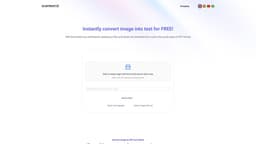
ScantextAI enables instant conversion of images into editable text using OCR technology.
Introduction
ScantextAI is a platform that allows users to instantly convert images, photos, screenshots, and scanned documents into editable text. Using OCR technology, ScantextAI accurately extracts text from various image formats and saves it in PDF or Word format.
What stands out?
Text recognition using OCR technology
Instant conversion of images to editable text
Support for multiple image formats
Ability to edit extracted text
Conversion to PDF or Word format
Secure file handling with guaranteed privacy
Recognition of 50+ languages
Frequently Asked Questions
What is ScantextAI?
How to use ScantextAI?
Reviews & Feedback
Share your experience with the community
0.0
Based on 0 reviews
User Comments (0)
Sort Criteria
Order
No reviews yet. Be the first to share your thoughts!
Statistics
Monthly visits
NaN
Saved by users
0
Rating
0.0/ 5.0
Added on
—
Use Cases
- Digitizing scanned documents or printed materials
- Converting handwritten notes into digital text
- Organizing and retrieving information from images
- Enhancing productivity through searchable and editable text
- Streamlining office tasks and data entry
- Sharing news articles on social media platforms
How to Use
To use ScantextAI, simply visit the website and follow these steps: 1. Click or drag an image with text to the designated area. 2. Select the language of the text on your image. 3. Click 'Convert image to PDF text'. 4. After the conversion is complete, you can edit the text if needed. 5. Save the extracted text as a PDF or Word file.