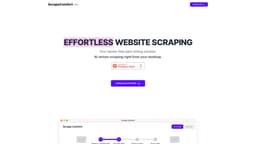
Scrape Comfort
Scrape Comfort simplifies web scraping with AI, no coding required.
Introduction
Scrape Comfort is an AI-powered web scraping tool that allows users to easily extract data from any website without the need for coding. By leveraging AI technology, Scrape Comfort simplifies the data mining process and eliminates the complexities typically associated with web scraping techniques.
What stands out?
AI-driven data extraction using ChatGPT
No coding expertise required
JavaScript-enabled page downloads
Intuitive interface for smooth scraping experience
Frequently Asked Questions
What is Scrape Comfort?
How to use Scrape Comfort?
Is there a requirement for technical skills to operate Scrape Comfort?
Why is there a need to provide an OpenAI Key?
From which sources can Scrape Comfort extract data?
Is my OpenAI key shared with your servers?
How can I get an OpenAI key?
More Information
Scrape Comfort Pricing
Scrape Comfort Pricing Link: https://scrapecomfort.com/
Reviews & Feedback
Share your experience with the community
0.0
Based on 0 reviews
User Comments (0)
Sort Criteria
Order
No reviews yet. Be the first to share your thoughts!
Statistics
Monthly visits
NaN
Saved by users
0
Rating
0.0/ 5.0
Added on
—
Similar Tools

Pixelcut
Easily create stunning product photos and ads with our free online design tool. Remove backgrounds and erase objects effortlessly.

Wondershare
Discover innovative tools for enhancing creativity, productivity, and efficiency with our app. Unleash your potential today!

TurboScribe
Unlimited AI transcription with 99.8% accuracy in 98+ languages.

Intercom
Get quicker solutions with Automation and human assistance. Enhance support efficiency for faster issue resolutions.
GirlfriendGPT - The AI Companion Chatroom
An uncensored AI companion chatroom for SFW and NSFW conversations.
Use Cases
- Data Analytics: Automate data collection for research or data science projects
- Market Investigation: Scrape product information for competitive assessment and pricing strategy development
- Lead Acquisition: Accumulate leads from multiple sources to boost sales and marketing initiatives
How to Use
Using Scrape Comfort is a straightforward process: 1. Enter the URLs of the websites you want to scrape data from, either by uploading a file or pasting the URLs directly. 2. Download the data from the entered URLs using your local Google Chrome browser with JavaScript enabled. 3. Set up extractors to specify the data you want to extract from the downloaded pages. This can be done in simple, human language without the need for CSS selectors or XPaths. 4. Save the extracted data in a file or clipboard for immediate use.