Sendsteps
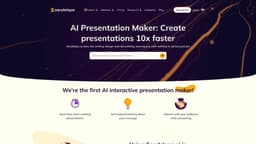
Sendsteps is a time-saving AI tool for creating interactive presentations.
AI-poweredinteractive presentationAI presentation maker
Introduction
Sendsteps is the world's first AI-powered interactive presentation tool that streamlines the presentation creation process and saves valuable time.
Key Features
AI Presentation Maker: Create presentations with AI assistance
Interactive Presentation: Engage your audience with interactive activities
Live Q&A: Facilitate real-time questions and answers during presentations
Live Word Cloud: Generate word clouds based on audience responses
Live Quiz: Conduct live quizzes for audience engagement
Frequently Asked Questions
What is Sendsteps?
How to use Sendsteps?
What is Sendsteps?
How do I use Sendsteps?
What are the core features of Sendsteps?
What are the use cases of Sendsteps?
Similar Tools

LimeChat
Revolutionize your e-commerce business with our AI-powered platform that offers support and marketing through WhatsApp. Boost sales and engagement now!

iSlide
Simplify your PowerPoint design with our innovative platform, offering a wide range of templates and AI tools to enhance your presentations.

Gethookd
Revolutionize your ad creation and performance with our AI platform. Optimize your ads like never before for maximum results.
Use Cases
- Business professionals: AI-assisted presentations save time and encourage active engagement for better meeting results.
- Students/Teachers: Save time creating presentations, promote effective communication and student understanding, and stimulate student motivation through interactive activities.
- Event organizers: Enhance event enjoyment and participant engagement through interactive activities, and create a unique and memorable experience.
How to Use
1. Create an AI presentation by using the AI presentation maker, starting from scratch, uploading a document, or importing PowerPoint. 2. Specify the presentation details such as language, target audience, and title. 3. Start presenting with the ready-made design, content, pictures, and interactive elements. 4. Practice your presentation with speaker notes or present directly.