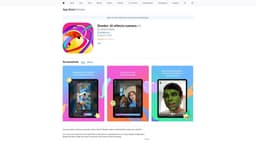
Shader: AI effects camera
Express yourself with custom AI filters.
Introduction
Shader makes creating filters super easy and fun. Turn your every idea into a 3D face filter or transform an existing photo to fit your wildest imagination.
What stands out?
Mobile-first, convenient and instant 3-D filter creation, video recording with filters, photo upload and transformation with AI, profile gallery to save creations, keyboard prompting and voice command.
Traffic & Analytics
Monthly Visits
116.6MAvg Duration
00:00:58Pages / Visit
1.77Bounce Rate
72.07%Traffic Sources
search41.66%
direct27.57%
referrals19.88%
display_ads5.42%
social4.29%
mail1.17%
Top Countries
United States24.06% · 28.1M
Japan7.60% · 8.9M
China6.57% · 7.7M
United Kingdom4.17% · 4.9M
Germany3.75% · 4.4M
Detailed Review
In-depth analysis and overview
Frequently Asked Questions
What is Shader: AI effects camera?
How to use Shader: AI effects camera?
What can I create with Shader?
How does Shader work?
Can I record videos with filters?
Can I save my creations?
Reviews & Feedback
Share your experience with the community
0.0
Based on 0 reviews
User Comments (0)
Sort Criteria
Order
No reviews yet. Be the first to share your thoughts!
Statistics
Monthly visits
116.6M
Saved by users
0
Rating
0.0/ 5.0
Added on
Dec 20 2023
Similar Tools

Airtable Assistant
Easily create apps and analyze data with our AI tool, no coding required. Build and analyze without the hassle of programming.

Grok
AI assistant that promotes truth and objectivity with various features.

NoteGPT
Summarize videos, articles, and text with AI. Chat with AI assistant. Transcript generator. Automated note-taking. Folder management.

PixAI - AI Art Generator
Create stunning anime art effortlessly.

DeepAI
AI tools for creative people.
Use Cases
- Transforming photos, creating custom AR/AI lenses and effects
How to Use
Simply tell the AI what you want to see and it will come to life in seconds. Use text, taps, or your voice to create custom AR/AI lenses and effects.