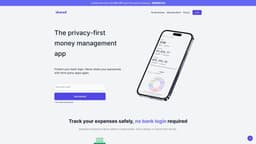
Skwad App
Track your expenses without sharing bank login.
Introduction
Skwad is a money tracking app that helps you gain financial clarity without sharing your bank login with third-party apps.
What stands out?
Track your expenses safely
Receive spending alerts
Upload old transactions
Tailored insights & alerts
Share transactions with trusted friends
Spend calendar
Enhance transactions with receipts
Sync to Google Sheets
Frequently Asked Questions
What is Skwad App?
How to use Skwad App?
What is a Skwad?
Can I automatically import transactions?
Can I upload my old transactions?
Can I manually add transactions?
Can I add my income?
How long do transactions take to process?
What file formats can I upload?
What is a Skwad scan email address?
What are the benefits of inviting others to join my Skwad?
Is there a limit to the number of receipts or transactions I can scan/upload?
Can I export my spending data for analysis or tax purposes?
Are there different subscription plans available, and how do they differ?
More Information
Skwad App Company
Skwad App Company name: TCS Digital, LLC .
Skwad App Login
Skwad App Login Link: https://skwad.app/login
Skwad App Pricing
Skwad App Pricing Link: https://skwad.app/#pricing
Reviews & Feedback
Share your experience with the community
0.0
Based on 0 reviews
User Comments (0)
Sort Criteria
Order
No reviews yet. Be the first to share your thoughts!
Statistics
Monthly visits
NaN
Saved by users
0
Rating
0.0/ 5.0
Added on
—
Use Cases
- Track personal and business transactions
- Analyze spending trends
- Receive notifications for upcoming payments
- Manage shared expenses with a group
How to Use
1. Sign up and get a dedicated Skwad Scan email address. 2. Set up spending alerts to your Skwad Scan email address. 3. Upload old transactions for a full financial picture.