slAItor
Translation system with step-by-step explanations
Introduction
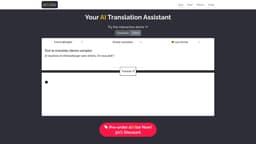
slAItor is a next-gen translation system that can do much more than just translate. It can explain a translation step-by-step, adjust the style of a translation, generate up to 5 translation alternatives, and spot/explain errors in your own translations.
What stands out?
Translation with step-by-step explanations
Translation style adjustment
Generation of translation alternatives
Error spotting and explanation
Frequently Asked Questions
What is slAItor?
How to use slAItor?
What's a 'credit'?
What AI engine is slAItor using?
Who is behind slAItor?
Will you keep improving the translation quality?
Will you add more languages?
Is slAItor better at translating than other online translation systems?
Is the translation really as fast as presented in your interactive demo?
Do you use our data to improve slAItor?
Can I use slAItor's outputs in my products?
Do you have a customer support?
What is your refund policy?
More Information
slAItor Support Email & Customer service contact & Refund contact etc.
Here is the slAItor support email for customer service: [email protected] . More Contact, visit the contact us page(mailto:[email protected])
slAItor Company
slAItor Company name: SlAItor . More about slAItor, Please visit the about us page(https://slaitor.com/#).
slAItor Login
slAItor Login Link: https://slaitor.com/index.php
slAItor Pricing
slAItor Pricing Link: https://slaitor.com/#pricing
Reviews & Feedback
Share your experience with the community
0.0
Based on 0 reviews
User Comments (0)
Sort Criteria
Order
No reviews yet. Be the first to share your thoughts!
Statistics
Monthly visits
NaN
Saved by users
0
Rating
0.0/ 5.0
Added on
—
Use Cases
- Language learning and improvement
- Professional translation
- Cross-cultural communication
How to Use
To use slAItor, simply enter your text to be translated and select the desired options, such as style and step-by-step mode. You can also choose to check your own translations for errors. Then, click the translate button to get the translation. You can switch between translation and editor modes using the buttons provided.