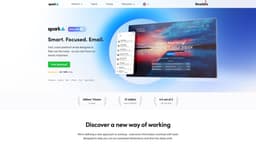
Spark Mail
Take control of your inbox with Spark.
Introduction
Spark helps you take your inbox under control. Instantly see what’s important and quickly clean up the rest.
What stands out?
Smart Inbox
Home screen
Gatekeeper
Snooze Emails
Send Later
Reminder to Follow-up
Email Signatures
Newsletters & Notifications
Frequently Asked Questions
What is Spark Mail?
How to use Spark Mail?
How do I download and install Spark?
Can I sync multiple email accounts with Spark?
What features does Spark offer to help stay focused?
How can Spark help teams collaborate?
Is Spark email secure and private?
More Information
Spark Mail Company
Spark Mail Company name: Spark Mail Limited . More about Spark Mail, Please visit the about us page(https://sparkmailapp.com/about).
Spark Mail Pricing
Spark Mail Pricing Link: https://sparkmailapp.com/plans-comparison
Spark Mail Facebook
Spark Mail Facebook Link: https://facebook.com/Readdle
Spark Mail Youtube
Spark Mail Youtube Link: https://www.youtube.com/user/ReaddleLive/videos
Spark Mail Twitter
Spark Mail Twitter Link: https://twitter.com/Readdle
Spark Mail Instagram
Spark Mail Instagram Link: https://www.instagram.com/Readdle/
Reviews & Feedback
Share your experience with the community
0.0
Based on 0 reviews
User Comments (0)
Sort Criteria
Order
No reviews yet. Be the first to share your thoughts!
Statistics
Monthly visits
NaN
Saved by users
0
Rating
0.0/ 5.0
Added on
—
Use Cases
- Filter out the noise
- Prioritize important contacts
- Organize your inbox effectively
- Stay focused and distraction-free
- Collaborate with teams
- Secure and private email
How to Use
Download and install Spark on your device Sync your email accounts across all your devices Use the Smart Inbox and Home Screen to prioritize and organize your emails Take advantage of features like Gatekeeper, Snooze Emails, and Send Later Collaborate with your team using Spark's team management tools