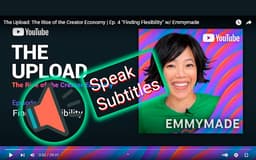
SynthVoice - Chrome Extension
Convert YouTube subtitles to speech
Introduction
Allows users to convert text subtitles on YouTube videos into natural-sounding speech using Text-To-Speech Engine.
What stands out?
Conversion of YouTube subtitles to speech with 100+ voices
Support for multiple languages and variants
Frequently Asked Questions
What is SynthVoice?
How to use SynthVoice?
What can I do if the extension doesn't work?
Reviews & Feedback
Share your experience with the community
0.0
Based on 0 reviews
User Comments (0)
Sort Criteria
Order
No reviews yet. Be the first to share your thoughts!
Statistics
Monthly visits
NaN
Saved by users
0
Rating
0.0/ 5.0
Added on
—
Similar Tools

OpusClip Captions
Easily add animated captions to your videos with just one click using this innovative application. Enhance your videos instantly!

NoteGPT
Summarize videos, articles, and text with AI. Chat with AI assistant. Transcript generator. Automated note-taking. Folder management.

Kapwing
Collaborate online with Kapwing to create, customize, and expand your content effortlessly.
Use Cases
- Listening to YouTube videos without sound
- Improving accessibility for visually impaired individuals
How to Use
Install the SynthVoice extension, open a YouTube video with subtitles, and click the extension icon to start converting text to speech.