SpotBuzz
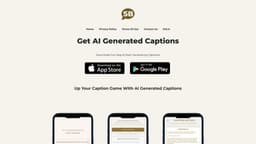
SpotBuzz uses AI to generate captions for text and images.
Introduction
SpotBuzz is a platform that uses AI technology to generate captions for text and images.
What stands out?
AI-generated captions for text and images
Customizable settings for word limit and caption mood
Multiple caption suggestions for each use case
Frequently Asked Questions
What is SpotBuzz?
How to use SpotBuzz?
Can SpotBuzz generate captions for both text and images?
Can I customize the word limit and caption mood for my captions?
Will I run out of caption options?
Is SpotBuzz available as a mobile app?
Can SpotBuzz be used for professional purposes?
More Information
SpotBuzz Support Email & Customer service contact & Refund contact etc.
More Contact, visit the contact us page(https://spot.buzz/contact-us/)
SpotBuzz Company
SpotBuzz Company name: Spotbuzz Technologies Private Limited . More about SpotBuzz, Please visit the about us page(https://spot.buzz/about/).
SpotBuzz Pricing
SpotBuzz Pricing Link: https://spot.buzz/pricing-2/
Reviews & Feedback
Share your experience with the community
0.0
Based on 0 reviews
User Comments (0)
Sort Criteria
Order
No reviews yet. Be the first to share your thoughts!
Statistics
Monthly visits
NaN
Saved by users
0
Rating
0.0/ 5.0
Added on
—
Similar Tools

Airtable Assistant
Easily create apps and analyze data with our AI tool, no coding required. Build and analyze without the hassle of programming.

Grok
AI assistant that promotes truth and objectivity with various features.

NoteGPT
Summarize videos, articles, and text with AI. Chat with AI assistant. Transcript generator. Automated note-taking. Folder management.

PixAI - AI Art Generator
Create stunning anime art effortlessly.

DeepAI
AI tools for creative people.
Use Cases
- Social media posts
- Marketing campaigns
- Product descriptions
- Blog articles
- Website content
How to Use
To use SpotBuzz, simply download the app and follow these steps: 1) Set your desired word limit and caption mood. 2) Choose your use case and customize the settings accordingly. 3) Let the AI generate multiple caption suggestions for you. 4) Select the caption that best fits your needs. 5) Start using the generated captions to enhance your content.