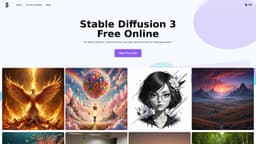
Stable Diffusion 3
Advanced text-to-image model for improved image fidelity
Text-to-image modelImage fidelityMulti-subject handling
Introduction
Stable Diffusion 3 is the latest and most advanced text-to-image model developed by Stability AI. It offers significant improvements in image fidelity, multi-subject handling, and text adherence. Leveraging the new Multimodal Diffusion Transformer (MMDiT) architecture, it features separate stable diffusion 3 weights for image and language representations. The model is accessible through various means, including the stable diffusion 3 API, stable diffusion 3 download options, and stable diffusion 3 online platforms.
Key Features
Improved text generation
Better prompt following
Multi-subject handling
Advanced architectural design
Superior image quality
Free access and trials
Scalable deployment
Robust safety measures
Frequently Asked Questions
What is Stable Diffusion 3?
How to use Stable Diffusion 3?
What is the stable diffusion 3 release date?
What are the benefits of using the stable diffusion 3 API?
What are the differences between stable diffusion 3 vs SDXL?
Where can I find stable diffusion 3 online resources and documentation?
How does the stable diffusion 3 architecture differ from previous versions?
Can I customize the stable diffusion 3 weights for specific applications?
Similar Tools

Quickads
Effortlessly create image and video ads with this AI-powered tool. Say goodbye to the hassle and hello to effective marketing campaigns.
Savro AI
Create adult AI influencers in minutes

mnml.ai
Discover the power of mnml.ai, a cutting-edge app that harnesses AI technology to streamline your daily tasks and boost productivity.
Use Cases
- Graphic designers for high-quality images
- Content marketers for accurate visuals
- Software developers for advanced text-to-image generation capabilities
- Educators for creating educational materials and visual aids
- Advertising agencies for high-quality advertisements and promotional materials
- Researchers for analyzing and visualizing complex data
How to Use
To use Stable Diffusion 3, users can register on the website to receive a free quota. They can then input their text prompt into the provided interface to utilize the stable diffusion 3 weights for generating images. Once the AI generates the images, users can download them using the stable diffusion 3 download option.