Introduction
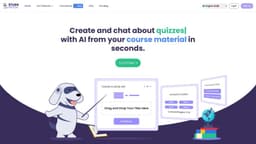
StudyFetch is a revolutionary new platform that allows you to upload your course materials and create interactive study sets. You can study with an AI tutor, create flashcards, generate notes, take practice tests, and more.
What stands out?
Notes AI: Create notes from your course material in seconds.
Flashcards AI: Make flashcards from your course material with a single click.
Quizzes AI: Create and practice with quizzes from your course material.
Chat AI: Chat with your AI tutor Spark.e to get personalized help.
Frequently Asked Questions
What is Study Fetch?
How to use Study Fetch?
What is StudyFetch?
Can I upload my whole class lecture to StudyFetch?
What types of course material can I upload?
Does my course material automatically convert into other features?
How do I upload my material?
How does the AI work?
Who is Spark.e?
More Information
Study Fetch Support Email & Customer service contact & Refund contact etc.
Here is the Study Fetch support email for customer service: [email protected] .
Study Fetch Company
Study Fetch Company name: Study Fetch LLC .
Study Fetch Login
Study Fetch Login Link: https://www.studyfetch.com/auth/login
Study Fetch Sign up
Study Fetch Sign up Link: https://www.studyfetch.com/auth/signup
Study Fetch Linkedin
Study Fetch Linkedin Link: https://www.linkedin.com/company/studyfetch
Study Fetch Twitter
Study Fetch Twitter Link: https://twitter.com/studyfetch
Study Fetch Instagram
Study Fetch Instagram Link: https://www.instagram.com/studyfetch/
Reviews & Feedback
Share your experience with the community
0.0
Based on 0 reviews
User Comments (0)
Sort Criteria
Order
No reviews yet. Be the first to share your thoughts!
Statistics
Monthly visits
NaN
Saved by users
0
Rating
0.0/ 5.0
Added on
—

Use Cases
- Transforming powerpoints, class notes, and study guides into flashcards, quizzes, and tests
- Creating personalized study sets with AI tutor assistance
- Generating notes, flashcards, and quizzes from lectures and course material
How to Use
To use StudyFetch, simply register with the platform and then select 'Create a Set' to upload your study materials. You can upload various formats like PDF, DOC, DOCX, PPT, PPTX, TXT, PNG, JPEG, MP3, MP4, YouTube videos, and Google Docs. Once your materials are uploaded, you can interact with them using StudyFetch's AI tutor, Spark.e, who can answer questions, create flashcards, take practice tests and personalize your learning experience.