Super Send

Super Send

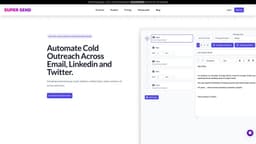
Automate cold outreach across email, Linkedin, and Twitter. Unlimited warming, validation, unified inbox, sender rotation, personalized images & one-liners, and dedicated Linkedin IP.

Visit Website

Introduction

Super Send is a cold outreach software that helps you automate outreach across email, Linkedin, and Twitter. It offers features such as unlimited email warming, email validation, unified inbox, sender rotation, personalized images & one-liners, and a dedicated Linkedin IP.

What stands out?

Unlimited Email Warming
Unlimited Email Validation
Unified Inbox
Sender Rotation
Personalised Images & One-Liners
Dedicated Linkedin IP
Email Automation
Linkedin Automation
Twitter Automation
Inbox Rotation
Email A/B Testing
Robust Reporting
One-Off Emails
Liquid Syntax Support
Chrome Extension
Advanced Filtering And Querying
Personalized Images
Spintax Support
Slack Notifications On Replies
Import Contacts From Hubspot
GPT-4 AI Writer
Lead Enrichment
One Liners
Conditional Sequences

Frequently Asked Questions

What is Super Send?

Super Send is a cold outreach software that helps you automate outreach across email, Linkedin, and Twitter. It offers features such as unlimited email warming, email validation, unified inbox, sender rotation, personalized images & one-liners, and a dedicated Linkedin IP.

How to use Super Send?

To use Super Send, you can start by signing up for a 14 Day Free Trial. Once registered, you can create complex multi-channel drip sequences using the various automation features provided. You can automate cold outreach via email, Linkedin, and Twitter, with options for email warmup, email validation, inbox rotation, AI writer, and more.

What is Super Send?

Super Send is a cold outreach software that automates outreach across email, Linkedin, and Twitter, with features like unlimited email warming, validation, unified inbox, sender rotation, personalized images & one-liners, and dedicated Linkedin IP.

How do I use Super Send?

To use Super Send, sign up for a 14 Day Free Trial. Create complex multi-channel drip sequences for cold outreach via email, Linkedin, and Twitter, with options for warmup, validation, inbox rotation, AI writer, and more.

What are the pricing plans for Super Send?

Super Send offers pricing plans starting from $30 per month for the Bootstrapper plan, with increasing features and message limits as you upgrade to higher plans. Contact us for Agency/Enterprise pricing.

What are the core features of Super Send?

Super Send offers core features such as unlimited warming, validation, unified inbox, sender rotation, personalized images & one-liners, Linkedin automation, email automation, Twitter automation, A/B testing, robust reporting, and more.

What are some use cases for Super Send?

Some use cases for Super Send include automating cold outreach, running effective outbound campaigns, sending personalized messages, filtering and querying recipients, A/B testing messages, and managing replies from multiple accounts.

More Information

Super Send Company

Super Send Company name: Super Send LLC .

Super Send Login

Super Send Login Link: https://supersend.io/login

Super Send Sign up

Super Send Sign up Link: https://supersend.io/signup

Super Send Pricing

Super Send Pricing Link: https://supersend.io/#pricing

Super Send Twitter

Super Send Twitter Link: https://twitter.com/supersendhq

Reviews & Feedback

Share your experience with the community

0.0
Based on 0 reviews

User Comments (0)

No reviews yet. Be the first to share your thoughts!

Statistics

Monthly visits
NaN
Saved by users
0
Rating
0.0/ 5.0
Added on

Use Cases

  • Automate cold outreach
  • Run super effective outbound campaigns
  • Send dynamic messages using variables
  • Send one campaign from multiple email addresses
  • A/B test subject lines and messages
  • Drill down into campaign performance
  • Send personalized one-off messages
  • Connect to Twitter via Chrome extension
  • Filter and query recipients
  • Create dynamic images using variables
  • Increase deliverability with Spintax
  • Receive Slack notifications on replies
  • Import contacts from Hubspot
  • Have AI rewrite subject lines and emails
  • Find name, company, title, and email
  • Generate personalized intro lines
  • Build complex sequences
  • Get quick campaign performance overview
  • Retarget based on recipient actions
  • Create personalized prospect images
  • Connect multiple email sending accounts
  • Manage replies from multiple accounts

How to Use