Swimm
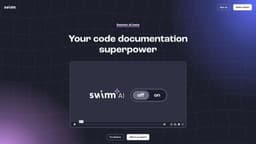
Swimm is an AI-powered documentation tool that creates interactive documents based on code.
Introduction
Swimm is an AI-powered code documentation tool that integrates seamlessly with your IDE. It generates interactive document structures based on your code's context, making it easier to create comprehensive code documentation.
What stands out?
Interactive document creation experience
Automatic code explanations
Doc visibility rules
Documentation generation from PR
Secure and encrypted data storage
Frequently Asked Questions
What is Swimm?
How to use Swimm?
How does Swimm AI work?
Is my data secure with Swimm?
What IDE integrations does Swimm offer?
How can Swimm benefit my team's documentation workflow?
More Information
Swimm Company
Swimm Company name: Swimm . More about Swimm, Please visit the about us page(https://swimm.io/about).
Swimm Login
Swimm Login Link: https://app.swimm.io/login
Swimm Sign up
Swimm Sign up Link: https://app.swimm.io/register
Swimm Pricing
Swimm Pricing Link: https://swimm.io/pricing
Swimm Youtube
Swimm Youtube Link: https://www.youtube.com/channel/UC-icYrmhtL3yYxaI0TnL7Lg
Swimm Tiktok
Swimm Tiktok Link: https://www.tiktok.com/@swimmfordevs
Swimm Linkedin
Swimm Linkedin Link: https://www.linkedin.com/company/swimm-io
Swimm Twitter
Swimm Twitter Link: https://twitter.com/swimm_io
Swimm Github
Swimm Github Link: https://github.com/swimmio
Reviews & Feedback
Share your experience with the community
0.0
Based on 0 reviews
User Comments (0)
Sort Criteria
Order
No reviews yet. Be the first to share your thoughts!
Statistics
Monthly visits
NaN
Saved by users
0
Rating
0.0/ 5.0
Added on
—
Similar Tools

Pixelcut
Easily create stunning product photos and ads with our free online design tool. Remove backgrounds and erase objects effortlessly.

Wondershare
Discover innovative tools for enhancing creativity, productivity, and efficiency with our app. Unleash your potential today!

TurboScribe
Unlimited AI transcription with 99.8% accuracy in 98+ languages.

Intercom
Get quicker solutions with Automation and human assistance. Enhance support efficiency for faster issue resolutions.

GirlfriendGPT - The AI Companion Chatroom
An uncensored AI companion chatroom for SFW and NSFW conversations.
Use Cases
- Creating comprehensive code documentation
- Enhancing understanding and collaboration
- Preventing recurring mistakes
- Making documentation a natural part of team workflow
How to Use
To use Swimm, install the IDE plugin for your preferred integrated development environment (IDE). Once installed, Swimm AI will be able to analyze your code and suggest document structures. You can also use the /generate command to add code explanations to your docs effortlessly. Swimm AI can set up doc visibility rules based on use cases and can even generate documentation from a pull request (PR).