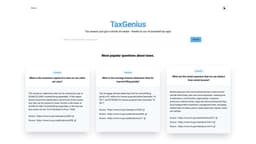
TaxGenius
TaxGenius is a tax app that uses AI technology to simplify tax season for users.
Introduction
TaxGenius is an AI-assisted tax app designed to make tax season easier for users. It leverages the power of AI technology to answer tax-related questions.
What stands out?
AI-assisted tax app
Accurate and up-to-date tax information
Search for popular tax questions
Explore various tax topics
Instant answers to tax queries
Frequently Asked Questions
What is TaxGenius?
How to use TaxGenius?
What is the maximum capital loss that can be claimed per year?
What is the mortgage interest deduction limit for married filing jointly?
What are the rental expenses that can be deducted from rental income?
Reviews & Feedback
Share your experience with the community
0.0
Based on 0 reviews
User Comments (0)
Sort Criteria
Order
No reviews yet. Be the first to share your thoughts!
Statistics
Monthly visits
NaN
Saved by users
0
Rating
0.0/ 5.0
Added on
—

Use Cases
- Getting quick answers to tax-related queries
- Navigating through complex tax topics
- Understanding deductions, credits, and limits
- Maximizing tax savings
- Gaining confidence in filing taxes
How to Use
Using TaxGenius is simple. Just open the app, enter your tax question, and let the AI technology provide you with the answer. You can search for the most popular questions about taxes or explore various tax topics for detailed information.