Text Generator Plugin
An open-source AI plugin that helps generate content based on knowledge in Obsidian.
Introduction
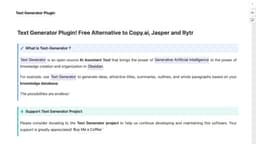
Text Generator Plugin is an open-source AI Assistant Tool that brings the power of Generative Artificial Intelligence to the power of knowledge creation and organization in Obsidian. The plugin allows users to generate ideas, attractive titles, summaries, outlines, and whole paragraphs based on their knowledge database.
What stands out?
The core features of Text Generator Plugin include: - AI-powered generation of ideas, titles, summaries, outlines, and paragraphs - Integration with Obsidian for seamless knowledge creation and organization - Open-source nature, allowing customization and contributions from the community - Code Blocks for easily generating text within specific contexts - Auto-suggest feature for quick content generation - Frontmatter Configuration for personalized output - Templates for efficient text generation - Collaboration possibilities through Discord community
Frequently Asked Questions
What is Text Generator Plugin?
How to use Text Generator Plugin?
Is Text Generator Plugin free to use?
Where can I download Text Generator Plugin?
Does Text Generator Plugin require any special setup or configuration?
Can I customize the output of Text Generator Plugin?
Is there a community for Text Generator Plugin users?
More Information
Text Generator Plugin Discord
Here is the Text Generator Plugin Discord: https://discord.com/invite/BRYqetyjag. For more Discord message, please click here(/discord/bryqetyjag).
Text Generator Plugin Support Email & Customer service contact & Refund contact etc.
More Contact, visit the contact us page(https://text-gen.com/contact)
Text Generator Plugin Company
Text Generator Plugin Company name: YouWrite .
Text Generator Plugin Facebook
Text Generator Plugin Facebook Link: https://www.facebook.com/sharer/sharer.php?u=https%3A%2F%2Ftext-gen.com%2F
Text Generator Plugin Youtube
Text Generator Plugin Youtube Link: https://www.youtube.com/@uwrite
Text Generator Plugin Twitter
Text Generator Plugin Twitter Link: https://twitter.com/TextGenPlugin
Text Generator Plugin Github
Text Generator Plugin Github Link: https://github.com/nhaouari/obsidian-textgenerator-plugin
Reviews & Feedback
Share your experience with the community
0.0
Based on 0 reviews
User Comments (0)
Sort Criteria
Order
No reviews yet. Be the first to share your thoughts!
Statistics
Monthly visits
NaN
Saved by users
0
Rating
0.0/ 5.0
Added on
—
Similar Tools

Airtable Assistant
Easily create apps and analyze data with our AI tool, no coding required. Build and analyze without the hassle of programming.

Grok
AI assistant that promotes truth and objectivity with various features.

NoteGPT
Summarize videos, articles, and text with AI. Chat with AI assistant. Transcript generator. Automated note-taking. Folder management.

PixAI - AI Art Generator
Create stunning anime art effortlessly.

DeepAI
AI tools for creative people.
Use Cases
- Text Generator Plugin can be used for various purposes, including: - Writing blog posts or articles - Brainstorming ideas for creative projects - Outlining and summarizing research papers - Generating content for social media posts - Creating catchy titles for presentations or speeches - Assisting in content marketing strategies - Enhancing productivity by automating repetitive writing tasks
How to Use
To use Text Generator Plugin, you can follow these steps: 1. Install the Text Generator Plugin in your Obsidian app. 2. Open your knowledge database in Obsidian. 3. Use the plugin's commands to generate ideas, titles, summaries, outlines, or paragraphs based on the content in your database. 4. Explore the generated text and use it as inspiration or content for your writing projects.