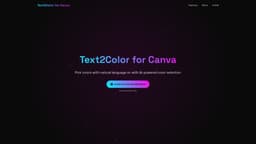
Text2Color for Canva
AI-powered color transformation for Canva
Introduction
Text2Color for Canva is a Chrome extension that utilizes advanced AI technology to transform text descriptions into vibrant colors within Canva's interface, enhancing design workflows.
What stands out?
Transform text descriptions into stunning colors
Lightning-fast color generation
Seamless integration with Canva
Frequently Asked Questions
What is Text2Color for Canva?
How to use Text2Color for Canva?
How does Text2Color for Canva work?
Is Text2Color for Canva compatible with all versions of Canva?
More Information
Text2Color for Canva Company
Text2Color for Canva Company name: Text2Color for Canva .
Reviews & Feedback
Share your experience with the community
0.0
Based on 0 reviews
User Comments (0)
Sort Criteria
Order
No reviews yet. Be the first to share your thoughts!
Statistics
Monthly visits
NaN
Saved by users
0
Rating
0.0/ 5.0
Added on
—
Similar Tools

Picsart
Unleash your creativity with Picsart - an innovative photo editing app that offers a wide range of tools and filters to enhance your images.

Grok
AI assistant that promotes truth and objectivity with various features.

KLING AI
Create one-of-a-kind images and videos with our Generative AI tools. Unleash your creativity and explore endless possibilities!

Lovable
AI-powered platform for software development via chat interface.

Freepik AI Image Generator
Real-time AI image generator
Use Cases
- Quickly generate vibrant colors for design projects
- Enhance design workflows with AI-powered color selection
How to Use
To use Text2Color for Canva, install the Chrome extension, enter your API key, and start describing colors in Canva's color picker to see the magic unfold.