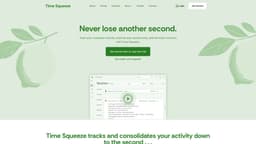
Time Squeeze
Tracks computer activity to improve productivity and simplify billing.
Introduction
Time Squeeze is a productivity and time tracking software that automates activity tracking and reporting.
What stands out?
Automatic time tracking
Billing management
Activity categorization
Local data storage
Frequently Asked Questions
What is Time Squeeze?
How to use Time Squeeze?
Where does Time Squeeze store my tracked data?
Does Time Squeeze record what I type?
Will Time Squeeze slow down my PC?
More Information
Time Squeeze Support Email & Customer service contact & Refund contact etc.
More Contact, visit the contact us page(https://www.timesqueeze.net/contact)
Time Squeeze Company
More about Time Squeeze, Please visit the about us page(https://www.timesqueeze.net/about).
Time Squeeze Login
Time Squeeze Login Link: https://portal.timesqueeze.net/login
Time Squeeze Sign up
Time Squeeze Sign up Link: https://portal.timesqueeze.net/signup
Time Squeeze Pricing
Time Squeeze Pricing Link: https://www.timesqueeze.net/#cb_pricing
Time Squeeze Youtube
Time Squeeze Youtube Link: https://www.youtube.com/@opticosstudios
Time Squeeze Linkedin
Time Squeeze Linkedin Link: https://www.linkedin.com/company/timesqueeze
Time Squeeze Twitter
Time Squeeze Twitter Link: https://x.com/Time_Squeeze
Reviews & Feedback
Share your experience with the community
0.0
Based on 0 reviews
User Comments (0)
Sort Criteria
Order
No reviews yet. Be the first to share your thoughts!
Statistics
Monthly visits
NaN
Saved by users
0
Rating
0.0/ 5.0
Added on
—
Similar Tools

Use Cases
- Freelancers can track billable hours automatically.
- Companies can analyze productivity and cost accounting.
How to Use
Start a 14-day free trial, install the tool, and it will automatically track your activities.