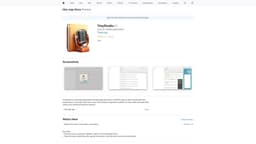
TinyStudio
Effortlessly generate subtitles for video and audio files on your Mac.
subtitle generationsubtitling toolvideo editing
Introduction
TinyStudio is a free Mac application that leverages the power of M1/M2 chips to offer fast and efficient performance. It provides users with a one-click solution to generate subtitles for their video and audio files without any technical expertise required.
Key Features
Leverages the power of M1/M2 chips for fast and efficient performance
One-click solution for generating subtitles
Supports video and audio files
Accurate and reliable subtitle generation
No technical expertise required
Frequently Asked Questions
What is TinyStudio?
How to use TinyStudio?
Can TinyStudio generate subtitles for multiple languages?
Is TinyStudio compatible with older Mac models?
Can I edit the generated subtitles?
Does TinyStudio support batch processing?
Is TinyStudio available for other platforms?
Similar Tools

StreamLadder
Climb the ranks of popular streaming platforms with StreamLadder. Increase your visibility and grow your audience effortlessly. Start today!

Vsub
Easily and quickly create videos without faces using an innovative AI platform.

Quickads
Effortlessly create image and video ads with this AI-powered tool. Say goodbye to the hassle and hello to effective marketing campaigns.
Use Cases
- Video content creators
- Podcasters
- Language learners
- Transcription services
How to Use
Using TinyStudio is extremely simple. First, download and install the application on your Mac. Then, open the application and select the video or audio file for which you want to generate subtitles. Finally, click on the 'Generate Subtitles' button, and TinyStudio will automatically generate accurate subtitles for your file.