Transcripo
AI-powered audio-to-text converter
Introduction
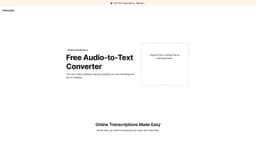
Transcripo is a free audio-to-text converter powered by an AI that quickly turns audio and video files into text or subtitles. It offers easy-to-use tools and supports over 100 languages, with the option to translate coming soon. Users can easily summarize their files with the AI and export transcriptions in subtitle formats for their videos.
What stands out?
AI-powered transcription of audio and video files
Support for over 100 languages
Ability to generate subtitles
Frequently Asked Questions
What is Transcripo?
How to use Transcripo?
Is Transcripo free to use?
Can Transcripo generate subtitles for videos in multiple languages?
More Information
Transcripo Sign up
Transcripo Sign up Link: https://www.transcripo.com/signup
Transcripo Pricing
Transcripo Pricing Link: https://www.transcripo.com/
Reviews & Feedback
Share your experience with the community
0.0
Based on 0 reviews
User Comments (0)
Sort Criteria
Order
No reviews yet. Be the first to share your thoughts!
Statistics
Monthly visits
NaN
Saved by users
0
Rating
0.0/ 5.0
Added on
—
Similar Tools

OpusClip Captions
Easily add animated captions to your videos with just one click using this innovative application. Enhance your videos instantly!

NoteGPT
Summarize videos, articles, and text with AI. Chat with AI assistant. Transcript generator. Automated note-taking. Folder management.

Kapwing
Collaborate online with Kapwing to create, customize, and expand your content effortlessly.
Use Cases
- Converting video, meeting, interview, podcast, or voice recordings to text or subtitles
How to Use
Using Transcripo is simple. Users can drag and drop or upload audio or video files to transcribe them. They can also record audio directly on the website.