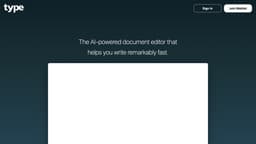
Type
A fast document editor powered by AI, offering drafting, text transformation, and writing assistance.
Introduction
Type is an AI-powered document editor that helps you write remarkably fast. It provides various features like generating drafts, transforming text, and providing writing assistance.
What stands out?
The core features of Type include: 1. Draft Generation: Type utilizes AI to generate drafts of your documents, providing a starting point for your writing. 2. Text Transformation: Type allows you to transform text, making it easier to reshape your content. 3. Writing Assistance: Type provides writing assistance by suggesting improvements and highlighting potential errors in your documents.
Frequently Asked Questions
What is Type?
How to use Type?
What is Type?
How do I use Type?
What are the core features of Type?
In which scenarios can Type be useful?
Does Type provide pricing plans?
More Information
Type Support Email & Customer service contact & Refund contact etc.
Here is the Type support email for customer service: [email protected] .
Type Login
Type Login Link: https://type.ai/login.html
Type Sign up
Type Sign up Link: https://type.ai/login.html
Type Pricing
Type Pricing Link: https://type.ai/login.html
Type Youtube
Type Youtube Link: https://youtu.be/YcYmqtYRXUM?si=vhh-LpU1MJTeWXC3
Reviews & Feedback
Share your experience with the community
0.0
Based on 0 reviews
User Comments (0)
Sort Criteria
Order
No reviews yet. Be the first to share your thoughts!
Statistics
Monthly visits
NaN
Saved by users
0
Rating
0.0/ 5.0
Added on
—
Similar Tools
Use Cases
- Type is useful in various scenarios, such as: 1. Content Creation: Type assists content creators in generating drafts and improving the quality of their writing. 2. Writing Projects: Type helps individuals and teams with writing projects by providing useful suggestions and streamlining the writing process.
How to Use
To use Type, simply sign up for an account on the website. Once signed in, you can start creating and editing documents. Use the intuitive interface to access features such as generating drafts, transforming text, and getting writing assistance. Explore the menu to find additional options like accessing blogs and pricing information.