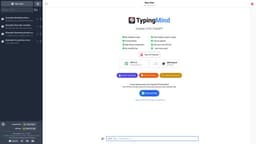
TypingMind
TypingMind improves ChatGPT's UI with added features like chat history search and prompt library.
Introduction
TypingMind is an enhanced user interface (UI) for ChatGPT, a powerful language model. It offers additional features like chat history search, folder organization, prompt library, and integrations.
What stands out?
Chat history search
Folders for chat organization
Prompt library
Integrations with third-party tools and platforms
Frequently Asked Questions
What is TypingMind?
How to use TypingMind?
What is ChatGPT?
How is TypingMind different from native ChatGPT?
Can I use my existing ChatGPT API with TypingMind?
What are some use cases for TypingMind?
Is there a free trial available for TypingMind?
More Information
TypingMind Support Email & Customer service contact & Refund contact etc.
More Contact, visit the contact us page(https://www.typingmind.com/contact)
TypingMind Company
TypingMind Company name: Devuap LLC .
TypingMind Linkedin
TypingMind Linkedin Link: https://www.linkedin.com/company/typingmind/
TypingMind Twitter
TypingMind Twitter Link: https://twitter.com/TypingMindApp
Reviews & Feedback
Share your experience with the community
0.0
Based on 0 reviews
User Comments (0)
Sort Criteria
Order
No reviews yet. Be the first to share your thoughts!
Statistics
Monthly visits
NaN
Saved by users
0
Rating
0.0/ 5.0
Added on
—

Use Cases
- Customer support chatbots
- Virtual assistants
- Language learning practice
- Content generation
- Chat-based research
How to Use
To use TypingMind, simply sign up on the website and connect your ChatGPT API. Once connected, you can start using the enhanced features of TypingMind alongside ChatGPT. Use the chat history search to easily find past conversations, organize your chats into folders for better management, access a prompt library for pre-defined conversation starters, and integrate TypingMind with other tools and platforms to enhance your workflows.