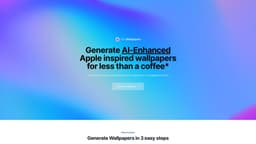
UltraWallpapers
Generate beautiful wallpapers using AI at UltraWallpapers and customize the experience.
Introduction
UltraWallpapers is a website that allows you to generate beautiful wallpapers using artificial intelligence (AI). With AI-enhanced technology, you can create Apple-inspired wallpapers in your desired colors and customize your wallpaper experience.
What stands out?
UltraWallpapers offers the following core features: - AI-enhanced wallpapers: Generate beautiful wallpapers with the help of artificial intelligence. - Customization: Choose your colors and personalize the output to match your preferences. - Easy Payment: Securely make a payment through Stripe. - Instant Download: Download the pack of four wallpapers immediately after the payment. - High Resolution: Wallpapers are generated in 1536 x 1536 resolution for crisp quality. - Commercial Use: You can use the wallpapers for commercial purposes, excluding resale or use in sold products.
Frequently Asked Questions
What is UltraWallpapers?
How to use UltraWallpapers?
Why did you make this site?
How much does each wallpaper cost?
What payment methods do you accept?
In what resolution are the wallpapers available?
Can I use the wallpapers for commercial purposes?
Do you offer refunds?
Reviews & Feedback
Share your experience with the community
0.0
Based on 0 reviews
User Comments (0)
Sort Criteria
Order
No reviews yet. Be the first to share your thoughts!
Statistics
Monthly visits
NaN
Saved by users
0
Rating
0.0/ 5.0
Added on
—
Similar Tools

Picsart
Unleash your creativity with Picsart - an innovative photo editing app that offers a wide range of tools and filters to enhance your images.

Max Studio AI
Enhance your images and unleash your creativity with AI tools all in one platform. Boost your image editing skills effortlessly!

Grok
AI assistant that promotes truth and objectivity with various features.

KLING AI
Create one-of-a-kind images and videos with our Generative AI tools. Unleash your creativity and explore endless possibilities!
MidJourney
AI platform for creating and exploring images with community input.
Use Cases
- UltraWallpapers can be used for various purposes including: - Personalizing your device: Create unique and aesthetic wallpapers for your smartphone or computer. - Design projects: Use the AI-generated Apple-inspired wallpapers for graphic design or UI/UX projects. - Social media: Make your social media profiles stand out with eye-catching and custom wallpapers. - Presentation backgrounds: Enhance your presentations with visually appealing wallpapers that match your content.
How to Use
To use UltraWallpapers, follow these three easy steps: 1. Choose your style: Select the style and theme for your wallpaper. 2. Customize your colors: Pick your desired colors to personalize the output. 3. Make a secure payment: Use any major credit card to make a payment via Stripe. 4. Instant Download: Once your payment is confirmed, download the pack of four wallpapers. 5. Update your device wallpaper: Select your favorite wallpaper from the pack and set it as your device's wallpaper.