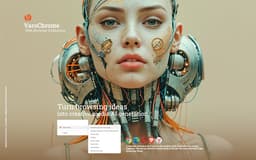
Varoriya AI Browser Integration - Chrome Extension
Experience the seamless integration of AI technology into your browser for transforming images effortlessly.
Browser ExtensionBrowser extension
Introduction
VaroChrome seamlessly incorporates Varoriya AI into your browsing experience, providing robust tools for effortless image transformation. This innovative browser extension offers a range of creative possibilities through user-friendly context menu options. Users can easily generate AI prompts from selected images, apply image styles with AI-powered enhancements, boost image resolution using advanced AI algorithms, explore visual effects and illusions, access Varoriya account details, discover AI-generated media, and stay updated with Varoriya AI. Connect with Varoriya AI for the latest updates and more, all within VaroChrome's intuitive interface.
What stands out?
Smoothly incorporating Varoriya AI into the browsing experience.
Tools that use artificial intelligence to transform images
Frequently Asked Questions
What does Varoriya AI Browser Integration involve?
What are the steps to utilize Varoriya AI Browser Integration?
What is the process for accessing my Varoriya account details using VaroChrome?
Is it possible to use AI-powered transformations on any image found on the web using VaroChrome?
Reviews & Feedback
Share your experience with the community
0.0
Based on 0 reviews
User Comments (0)
Sort Criteria
Order
No reviews yet. Be the first to share your thoughts!
Statistics
Monthly visits
NaN
Saved by users
0
Rating
0.0/ 5.0
Added on
—
Similar Tools

Picsart
Unleash your creativity with Picsart - an innovative photo editing app that offers a wide range of tools and filters to enhance your images.

Freepik AI Image Generator
Real-time AI image generator
Leonardo.ai
AI-driven asset generation for creative projects.
OpenArt
OpenArt is an AI image generator that enhances creativity and productivity with various AI models and styles.
Use Cases
- Effortlessly create AI prompts based on chosen images in an instant with this app.
- Transform your images with powerful AI technology that applies stunning styles and effects. Experience a whole new level of creativity with our app.
- Elevate picture quality with cutting-edge AI technology for enhanced resolution.
- Uncover mind-bending visual tricks and optical illusions with this app designed to showcase stunning special effects.
- Easily view your Varoriya account information with this convenient app for direct access to your account details.
- Discover a collection of computer-generated visuals and multimedia through the Explore AI Images app, showcasing cutting-edge technology in digital art.
How to Use
To utilize VaroChrome, start by downloading the browser extension. Next, right-click on an image to reveal the user-friendly context menu with various options for easily altering images with Varoriya AI.