Vectorizer AI
Convert PNG, JPG to SVG vectors online
Introduction
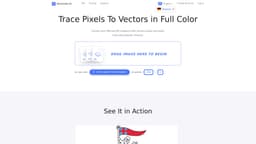
Vectorizer.AI is an online platform that automatically converts PNG and JPG images to SVG vectors using AI technology. It traces pixels to vectors in full color, providing high-quality and fully scalable results. The platform is suitable for various design and printing applications, offering a range of output formats, such as SVG, PDF, EPS, and DXF.
What stands out?
AI-based conversion of PNG and JPG images to scalable SVG vectors
Support for multiple output formats including SVG, PDF, EPS, and DXF
High-performance and efficient processing using deep learning networks
Frequently Asked Questions
What is Vectorizer AI?
How to use Vectorizer AI?
What types of input images does Vectorizer.AI support?
What makes Vectorizer.AI's AI different from other tools?
Can Vectorizer.AI vectorize AI-generated images?
More Information
Vectorizer AI Support Email & Customer service contact & Refund contact etc.
More Contact, visit the contact us page(https://vectorizer.ai/support)
Vectorizer AI Company
Vectorizer AI Company name: Cedar Lake Ventures, Inc. . More about Vectorizer AI, Please visit the about us page(https://vectorizer.ai/about).
Vectorizer AI Login
Vectorizer AI Sign up
Vectorizer AI Pricing
Vectorizer AI Pricing Link: https://vectorizer.ai/pricing
Vectorizer AI Facebook
Vectorizer AI Facebook Link: https://www.facebook.com/sharer/sharer.php?u=https%3A%2F%2Fvectorizer.ai
Vectorizer AI Linkedin
Vectorizer AI Linkedin Link: https://www.linkedin.com/sharing/share-offsite/?url=https%3A%2F%2Fvectorizer.ai
Vectorizer AI Twitter
Vectorizer AI Twitter Link: https://twitter.com/intent/tweet?url=https%3A%2F%2Fvectorizer.ai
Reviews & Feedback
Share your experience with the community
0.0
Based on 0 reviews
User Comments (0)
Sort Criteria
Order
No reviews yet. Be the first to share your thoughts!
Statistics
Monthly visits
NaN
Saved by users
0
Rating
0.0/ 5.0
Added on
—
Similar Tools
Use Cases
- Convert rasterized images into high-quality vectors for printed graphics and web graphics
- Produce vectors suitable for laser engraving, vinyl cutting, and screen printing applications
How to Use
To convert images to SVG vectors, simply pick a bitmap image, such as a JPEG or PNG, and drag and drop it onto the platform. The AI analyzes, processes, and converts the image into geometric shapes. Users can then inspect an interactive preview of the result and download it in their preferred format.