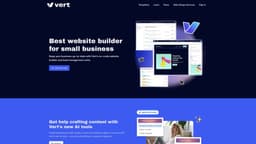
Vert
Vert empowers businesses to build stunning websites without coding knowledge, with lead and task management functionalities.
Introduction
Vert is a no-code website builder that empowers businesses to create stunning websites without any coding knowledge. It also includes lead management and task management functionalities.
What stands out?
No-code website building
Lead management
Task management
Form builder
AI tools for content creation
Frequently Asked Questions
What is Vert?
How to use Vert?
More Information
Vert Support Email & Customer service contact & Refund contact etc.
More Contact, visit the contact us page(https://vert.works/contact)
Vert Company
Vert Company address: Sydney and Darwin Australia.
Vert Login
Vert Login Link: https://vert.ws
Vert Sign up
Vert Sign up Link: https://vert.works/get-started
Vert Pricing
Vert Pricing Link: https://vert.works/plans
Vert Youtube
Vert Youtube Link: https://www.youtube.com/@vert_app
Vert Tiktok
Vert Tiktok Link: https://www.tiktok.com/@vert_app
Vert Twitter
Vert Twitter Link: https://twitter.com/vert_app
Vert Instagram
Vert Instagram Link: https://www.instagram.com/get_vert/
Reviews & Feedback
Share your experience with the community
0.0
Based on 0 reviews
User Comments (0)
Sort Criteria
Order
No reviews yet. Be the first to share your thoughts!
Statistics
Monthly visits
NaN
Saved by users
0
Rating
0.0/ 5.0
Added on
—
Similar Tools
Lovable
AI-powered platform for software development via chat interface.

HubSpot
Accelerate your business growth with HubSpot's customer platform. Drive faster results and expand your business efficiently.
MailerLite
MailerLite is a powerful tool for businesses looking to expand their reach and increase profits through audience growth and revenue generation.
Framer
Framer app enables users to easily build and launch sleek websites without the need for coding skills. Start designing your site today!
Use Cases
- Small businesses
- Entrepreneurs
- Service-based businesses
- Online stores
How to Use
To use Vert, simply sign up for an account and choose a template from the collection. Fill in the content by selecting and customizing pre-designed building blocks. Stack the blocks to complete your pages. Vert allows you to manage leads, create forms, stay on top of tasks and appointments, and even offers AI tools for content creation.