Voiser

Voiser

Voiser is an AI program that converts text to speech and speech to text with human-like voices.

Visit Website

Introduction

Voiser is a text-to-speech and speech-to-text program that uses artificial intelligence to convert written text into natural-sounding speech and audio files into written text. It offers over 550 different voice options in 75+ languages, making it the closest machine voice to a human voice.

What stands out?

Voiser offers the following core features: - Text-to-speech conversion in 75+ languages - Speech-to-text transcription in multiple languages - Over 550 different voice options - Closest machine voice to a human voice - Ability to convert speech and audio files into written text - Flexible download options - Advanced editing capabilities - Export options in Word, Excel, Text, or Subtitle formats

Frequently Asked Questions

What is Voiser?

Voiser is a text-to-speech and speech-to-text program that uses artificial intelligence to convert written text into natural-sounding speech and audio files into written text. It offers over 550 different voice options in 75+ languages, making it the closest machine voice to a human voice.

How to use Voiser?

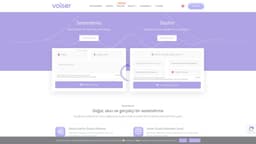
To use Voiser for text-to-speech, simply enter the text you want to convert into speech, select the desired language and voice, and click on the 'Convert to Speech' button. The program will generate an audio file of the text being read aloud in the selected voice. For speech-to-text, select the file you want to transcribe, choose the desired language, and click on the 'Convert to Text' button. Voiser will transcribe the speech in the audio file into written text.

What languages are supported by Voiser?

Voiser supports over 75 languages, including Turkish, English, German, French, Spanish, Arabic, Chinese, Japanese, Russian, and more.

Can I convert audio files into written text using Voiser?

Yes, Voiser allows you to transcribe speech and audio files into written text. Simply upload the file, select the desired language, and click on the 'Convert to Text' button.

Are there different voice options available in Voiser?

Yes, Voiser offers over 550 different voice options in various languages. You can choose from different accents, genders, and styles to find the perfect voice for your needs.

Can I export the text generated by Voiser into different file formats?

Yes, Voiser provides flexible download options and allows you to export the transcribed text into Word, Excel, Text, or Subtitle formats.

Is there a free version of Voiser available?

Yes, Voiser offers a free version with limitations. For more usage and access to premium voices, you can purchase one of the premium packages.

More Information

Voiser Support Email & Customer service contact & Refund contact etc.

More Contact, visit the contact us page(https://voiser.net/iletisim)

Voiser Company

Voiser Company name: Voiser Teknoloji Ltd. Şti. . More about Voiser, Please visit the about us page(https://voiser.net/voiser-nedir).

Voiser Login

Voiser Login Link: https://voiser.net/giris-yap

Voiser Sign up

Voiser Sign up Link: https://voiser.net/kayit-ol

Voiser Pricing

Voiser Pricing Link: https://voiser.net/fiyatlar

Voiser Youtube

Voiser Linkedin

Voiser Twitter

Voiser Twitter Link: https://twitter.com/voiser_ai

Voiser Instagram

Reviews & Feedback

Share your experience with the community

0.0
Based on 0 reviews

User Comments (0)

No reviews yet. Be the first to share your thoughts!

Statistics

Monthly visits
NaN
Saved by users
0
Rating
0.0/ 5.0
Added on

Use Cases

  • Voiser can be used in various scenarios, including: - Audio book narration - Voice overs for videos - Accessibility for visually impaired individuals - Language learning and pronunciation - Transcribing audio files and videos - Creating interactive voice response systems - Adding voice to websites and applications - Podcast production - Language localization for software and games

How to Use