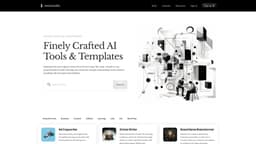
Word.Studio
Simplify content creation with purpose-built AI tools.
AI writing toolsBrainstorming toolsEditing tools
Introduction
Getting fresh and original content from AI isn’t easy. We make simple to use, purpose-built AI writing, brainstorming, editing and research tools that help you save time and get outstanding results without wrestling with prompts and chatbots.
Key Features
AI-powered ad copy generator
Tailored article writing
Brand name brainstorming
Brand voice analysis
Case study creation
Personalized children's story creation
Company bio writing
Country songwriting
Cover letter drafting
Component deconstruction
Persuasive essay writing
Biography writing for film, TV, and video professionals
Glossary generation
Exploring AI's disruptive potential
Lesson plan outlining
Marketing campaign outlining
Midjourney prompt writing assistant
Frequently Asked Questions
What is Word.Studio?
How to use Word.Studio?
What makes Word.Studio different from other AI writing tools?
Can I customize the output of the AI tools?
Is there a limit to the number of tools I can use?
Are the generated contents plagiarism-free?
Can I cancel my subscription at any time?
Similar Tools

LimeChat
Revolutionize your e-commerce business with our AI-powered platform that offers support and marketing through WhatsApp. Boost sales and engagement now!

Plagiarism Remover
Eliminate plagiarism in your text with this free AI tool. Enhance your writing by rephrasing content effortlessly. Try it now!

iSlide
Simplify your PowerPoint design with our innovative platform, offering a wide range of templates and AI tools to enhance your presentations.
Use Cases
- Creating compelling ad copy
- Generating articles for any topic
- Brainstorming captivating business names
- Analyzing brand voice
- Crafting customer case studies
- Creating personalized children's stories
- Writing detailed company bios
- Writing country songs
- Drafting tailored cover letters
- Understanding and deconstructing components
- Writing persuasive essays
- Creating biographies for film, TV, and video professionals
- Generating glossaries
- Exploring AI's potential impact on industries
- Outlining lesson plans
- Outlining marketing campaigns
- Assisting with Midjourney prompt writing
How to Use
To use Word.Studio, simply sign up for an account and access the wide range of AI tools and templates available. From generating ad copy to creating personalized children's stories, there's a tool for every creative need. Just enter your requirements or inputs, and let the AI do the work. Refine and regenerate as needed to achieve perfection.