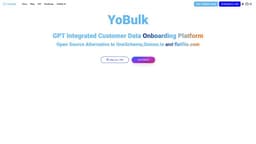
YoBulk
YoBulk: an open-source, scalable, AI-powered CSV importer simplifying data cleaning and onboarding.
Introduction
YoBulk is an open-source CSV importer that provides a scalable and AI-powered solution for importing, validating, and transforming CSV files. It aims to simplify the process of data cleaning and onboarding by offering a user-friendly interface and advanced features.
What stands out?
Scalable CSV validation with support for processing gigabyte-sized files
AI-powered column matching, data cleaning, and JSON schema generation using OpenAI
Smart spreadsheet view for easy error validation and data cleaning
Supports custom validation rules based on JSON schema
Self-hosted installation with Docker support
No Code template generation
Delightful error review experience
Backend API for headless CSV importing
Upcoming features: Postgres and MySQL support, 1-click data error fixing, cloud and multi-tenant hosting, NLP models for self-data correction, WebHook for custom data processing
Frequently Asked Questions
What is YoBulk?
How to use YoBulk?
Can YoBulk handle large CSV files?
What AI features does YoBulk offer?
How does YoBulk help with data cleaning?
Can I use my own database and validation rules with YoBulk?
Does YoBulk support self-hosted installation?
Reviews & Feedback
Share your experience with the community
0.0
Based on 0 reviews
User Comments (0)
Sort Criteria
Order
No reviews yet. Be the first to share your thoughts!
Statistics
Monthly visits
NaN
Saved by users
0
Rating
0.0/ 5.0
Added on
—
Similar Tools

Pixelcut
Easily create stunning product photos and ads with our free online design tool. Remove backgrounds and erase objects effortlessly.

Wondershare
Discover innovative tools for enhancing creativity, productivity, and efficiency with our app. Unleash your potential today!

TurboScribe
Unlimited AI transcription with 99.8% accuracy in 98+ languages.

Intercom
Get quicker solutions with Automation and human assistance. Enhance support efficiency for faster issue resolutions.

Alpha3D
Transform 2D images into 3D assets with generative AI.
Use Cases
- Data onboarding for organizations in various domains
- Data cleaning and validation for finance domain with a focus on data security and privacy
- Building import functionality in SaaS applications
- Solving the challenge of handling large CSV files with millions of records
- Automating CSV data integration and preprocessing tasks
- Converting CSV files to various formats like JSON, XML, SQL, and NoSQL databases
How to Use
To use YoBulk, you can integrate the Embeddable CSV importer in your SaaS application. This can be done by including the YoBulk SDK in your code and adding the YoButton component with appropriate configurations. YoBulk also supports self-hosted installation using a Docker image. You can clone the YoBulk repository, start it with Docker Compose, and access the importer on http://localhost:5050. With YoBulk, you can import large CSVs, define validation rules based on JSON schema, and perform data cleaning on your own premises.