Znote
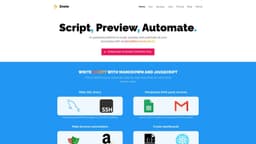
Znote is a note-taking app that boosts productivity by converting notes into micro apps.
Introduction
Znote is a note-taking app that allows users to turn their notes into micro apps, enhancing their productivity. Users can create personal notes, prototype ideas, and organize them into automatable tasks. With Znote, users can also connect their notes through links, use custom code completion for various programming languages, lock files with a password for security, run small pieces of code, manage their notes with keyboard shortcuts, and more.
What stands out?
Create connections between your notes to simplify navigation and create dashboard notes.
Enjoy powerful custom code completion and syntax highlighting for nearly all programming languages.
Secure your files with a password to prevent unauthorized access to your sensitive data.
Run small pieces of JavaScript, Bash, or Shell code to prototype and deploy micro apps.
Find, navigate, and run your notes like a pro without relying on a mouse.
Write notes using Markdown and JavaScript for a smarter way to prototype micro apps directly from your personal documentation.
Make SQL queries directly from Znote and manipulate the results.
Connect and manipulate various third-party services using Znote's list of pre-defined recipes.
Automate actions in your web browser to save time and increase productivity.
Create and expose HTML pages and React apps as dashboards for easy visualization and monitoring.
Instantly preview logs, HTML pages, forms, React apps, charts, datatables, and more.
Deploy your micro apps in one click through Znote's Platform-as-a-Service (PAAS).
Frequently Asked Questions
What is Znote?
How to use Znote?
What programming languages are supported for custom code completion?
Can I password-protect my files in Znote?
Can I run code snippets in Znote?
Does Znote support Markdown and JavaScript?
Can I connect and manipulate third-party services with Znote?
Can I automate actions in my web browser using Znote?
Does Znote offer a preview of micro app results?
Is there a deployment option for my micro apps created in Znote?
More Information
Znote Company
Znote Company name: Anthony Lagrede Consulting .
Znote Pricing
Znote Pricing Link: https://znote.io/checkout.html
Znote Linkedin
Znote Linkedin Link: https://www.linkedin.com/in/anthonylagrede/
Znote Twitter
Znote Twitter Link: https://twitter.com/alagrede
Znote Github
Znote Github Link: https://github.com/alagrede/znote-app/discussions
Reviews & Feedback
Share your experience with the community
0.0
Based on 0 reviews
User Comments (0)
Sort Criteria
Order
No reviews yet. Be the first to share your thoughts!
Statistics
Monthly visits
NaN
Saved by users
0
Rating
0.0/ 5.0
Added on
—
Similar Tools

Cursor
A cutting-edge code editor prioritizing AI technology for rapid software development. Boost your productivity with this innovative tool.

Anthropic
The AI assistant named Claude, called Anthropic, offers various capabilities and services.

Replit
Replit is a collaborative IDE featuring 50+ programming languages, a robust compiler, and interpreter. Work together seamlessly on coding projects.
Use Cases
- Personal note organization
- Idea prototyping
- Automation of tasks
- Creating and sharing dashboards
- Mini web app development
How to Use
To use Znote, you can download the desktop app for your operating system (Windows, macOS, or Linux). Once installed, you can start creating personal notes and organizing them into categories. You can use Markdown and JavaScript to prototype micro apps directly from your notes. Znote also allows you to make SQL queries, manipulate third-party services using pre-defined recipes, create browser automations, and create dashboards for displaying HTML pages and React apps. The app offers a keyboard-friendly interface, making it easy to navigate and run your notes without a mouse. Additionally, you can secure your files with a password and preview the results of your micro apps before deploying them online.