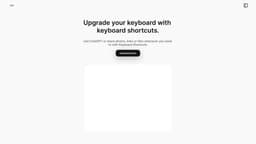
ZoZo - Simply Sharing
ZoZo is an iOS app that allows users to create shortcuts and access ChatGPT from their keyboard.
Introduction
ZoZo is a keyboard extension app for iOS devices that allows users to create keyboard shortcuts for photos, links, or files for easy sharing. It also integrates ZoZo AI, enabling users to access ChatGPT directly from their keyboard.
What stands out?
Create keyboard shortcuts for photos, links, or files
Integration with ChatGPT for AI-powered conversations
Customizable app appearance and icons
Access ZoZo's Keyboard directly from the iOS keyboard
Create unlimited shortcuts with ZoZo Pro
Shortcut grouping and Siri Shortcuts integration
Frequently Asked Questions
What is ZoZo - Simply Sharing?
How to use ZoZo - Simply Sharing?
What are the different types of keyboard shortcuts I can create with ZoZo?
How do I add ZoZo's Keyboard to my iOS device?
Can I customize the appearance of the ZoZo app?
What is ChatGPT and how does it work with ZoZo?
Reviews & Feedback
Share your experience with the community
0.0
Based on 0 reviews
User Comments (0)
Sort Criteria
Order
No reviews yet. Be the first to share your thoughts!
Statistics
Monthly visits
NaN
Saved by users
0
Rating
0.0/ 5.0
Added on
—
Similar Tools

Pixelcut
Easily create stunning product photos and ads with our free online design tool. Remove backgrounds and erase objects effortlessly.

Wondershare
Discover innovative tools for enhancing creativity, productivity, and efficiency with our app. Unleash your potential today!

TurboScribe
Unlimited AI transcription with 99.8% accuracy in 98+ languages.

Intercom
Get quicker solutions with Automation and human assistance. Enhance support efficiency for faster issue resolutions.

Alpha3D
Transform 2D images into 3D assets with generative AI.
Use Cases
- Quickly share frequently used photos or files
- Send pre-defined text messages or links
- Access ChatGPT for instant AI conversations
- Streamline communication and sharing on iOS devices
How to Use
1. Choose the type of keyboard shortcut you want to create: Text, Photo, Link, or File. 2. Name your shortcut and upload the content you want to share. 3. Add ZoZo's Keyboard and allow full access in your device settings. 4. Access ZoZo's Keyboard by tapping the Globe icon on your device's keyboard and select the desired shortcut.