Zyng
Zyng is a user-friendly ad creation tool that simplifies product photography.
Introduction
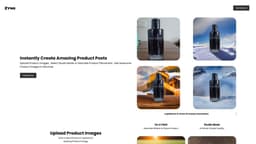
Zyng is a creative ad buddy that allows users to easily create amazing designs in seconds. With the ability to upload products, add custom elements, and describe the scene, Zyng helps users get the perfect product shot effortlessly.
What stands out?
Upload product images
Add custom elements
Describe the scene
Quickly generate product shots
User-generated designs
Frequently Asked Questions
What is Zyng?
How to use Zyng?
Are the designs created by Zyng?
Can I see examples of designs created with Zyng?
How can I contact Zyng for support?
More Information
Zyng Support Email & Customer service contact & Refund contact etc.
Here is the Zyng support email for customer service: [email protected] .
Zyng Pricing
Zyng Pricing Link: https://www.zyngai.com/#pricing
Reviews & Feedback
Share your experience with the community
0.0
Based on 0 reviews
User Comments (0)
Sort Criteria
Order
No reviews yet. Be the first to share your thoughts!
Statistics
Monthly visits
NaN
Saved by users
0
Rating
0.0/ 5.0
Added on
—
Similar Tools

Picsart
Unleash your creativity with Picsart - an innovative photo editing app that offers a wide range of tools and filters to enhance your images.

Freepik AI Image Generator
Real-time AI image generator

Leonardo.ai
AI-driven asset generation for creative projects.
OpenArt
OpenArt is an AI image generator that enhances creativity and productivity with various AI models and styles.
Use Cases
- E-commerce product photography
- Advertising campaigns
- Social media graphics
- Web design
How to Use
1. Upload your product image to Zyng. 2. Add custom elements like words and shapes to enhance the design. 3. Describe the desired scene to create the perfect shot. 4. Get your desired shot in seconds.