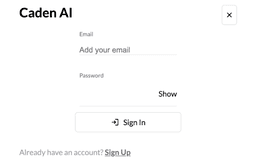
Caden AI - Chrome Extension
Revolutionizing email communication
Introduction
Enhancing Customer Service/Support with Intelligent Email Responses
What stands out?
Seamless integration with Gmail
Response tone selection
Email template storage
Multi-Gmail account support
Frequently Asked Questions
What is Caden AI?
How to use Caden AI?
What platforms does Caden AI support for highlighting text feature?
Reviews & Feedback
Share your experience with the community
0.0
Based on 0 reviews
User Comments (0)
Sort Criteria
Order
No reviews yet. Be the first to share your thoughts!
Statistics
Monthly visits
NaN
Saved by users
0
Rating
0.0/ 5.0
Added on
—
Similar Tools

Airtable Assistant
Easily create apps and analyze data with our AI tool, no coding required. Build and analyze without the hassle of programming.

Grok
AI assistant that promotes truth and objectivity with various features.

AI PDF Summarizer by PDF Guru
Simplify PDFs with AI! Summarize, extract key points, ask questions, and translate in 80+ languages. Perfect for work, study, or research.

AI Therapy
Your personal AI therapist for round-the-clock mental health support.

Sider
Seamlessly integrate AI into your daily workflow.
Use Cases
- Streamlining email responses for customer queries
How to Use
1. Highlight text in received email for response. 2. AI suggests templates or generates responses. 3. Customize and send tailored responses. 4. Experiment with different tones. 5. Enjoy seamless Gmail integration.